
Automating schematic figure making
Doing science is fun, but drawing the schematic figure that explains it has been challenging for us: we were never trained to do it, yet that figure is often the first thing a reader looks at. Inspired by some recent viral videos made by Opus 5.5 on X, we realized that the artistry of state-of-the-art AI models has probably already passed the level needed for publication-quality schematic figures. So we built a skill for it, open source on GitHub, and a benchmark to test it. It turns out that Opus 5.5 and GPT-6 Astra can make schematic figures close to publication quality on their own, once they are equipped with the right skill.
Below are a few example outputs from our skill. Importantly, we chose papers published after the training cutoff of Opus 5.5, so that the model has no memory of their figure designs. With our background in physics and machine learning, we think the results are very good! Without the skill, Opus 5.5 already makes decent figures in one shot, but they are mostly flat boxes and arrows, and the text does most of the work. With the skill, the figures use illustrated scenes, many are proper 3D renders, and the figure carries the idea without leaning on text. If you are from another field and have suggestions on the figures, please let us know.
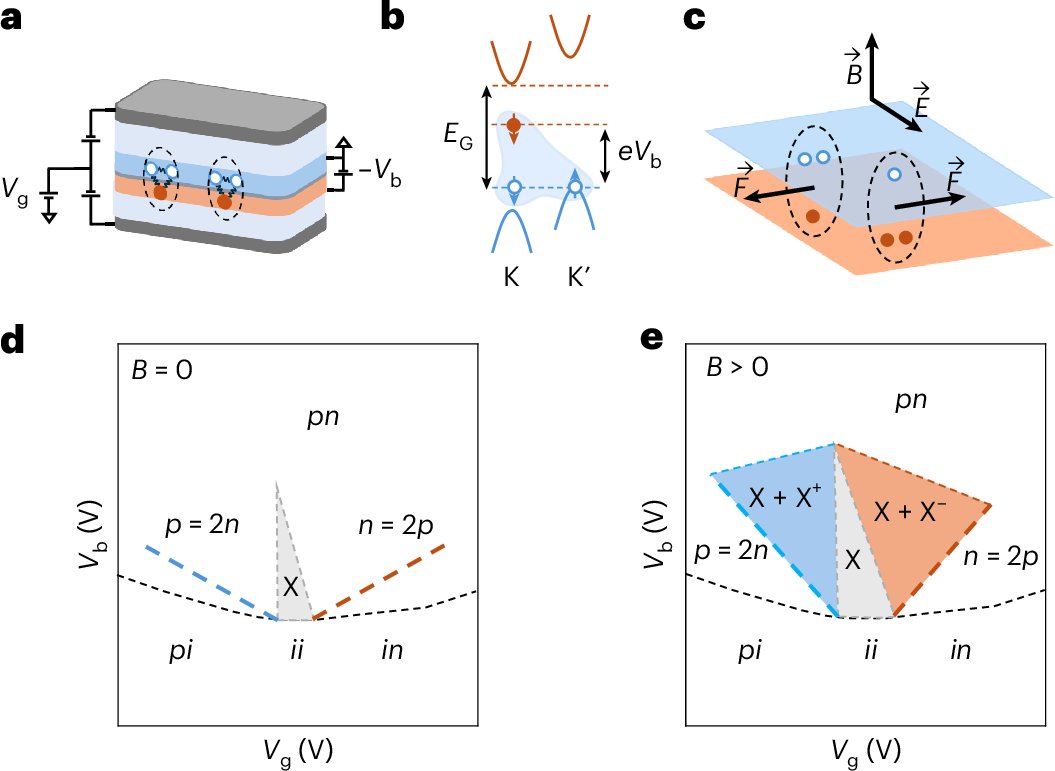
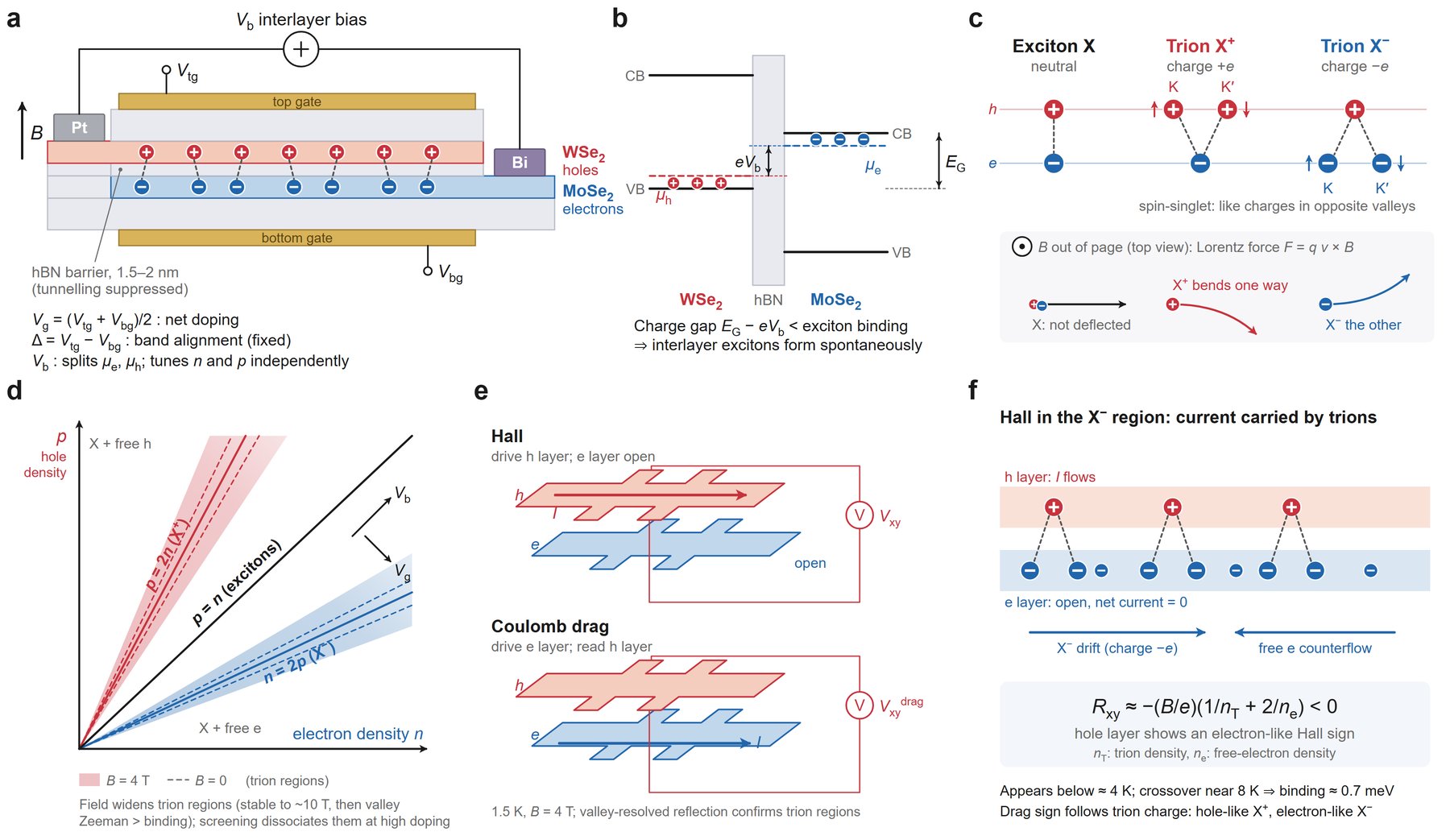
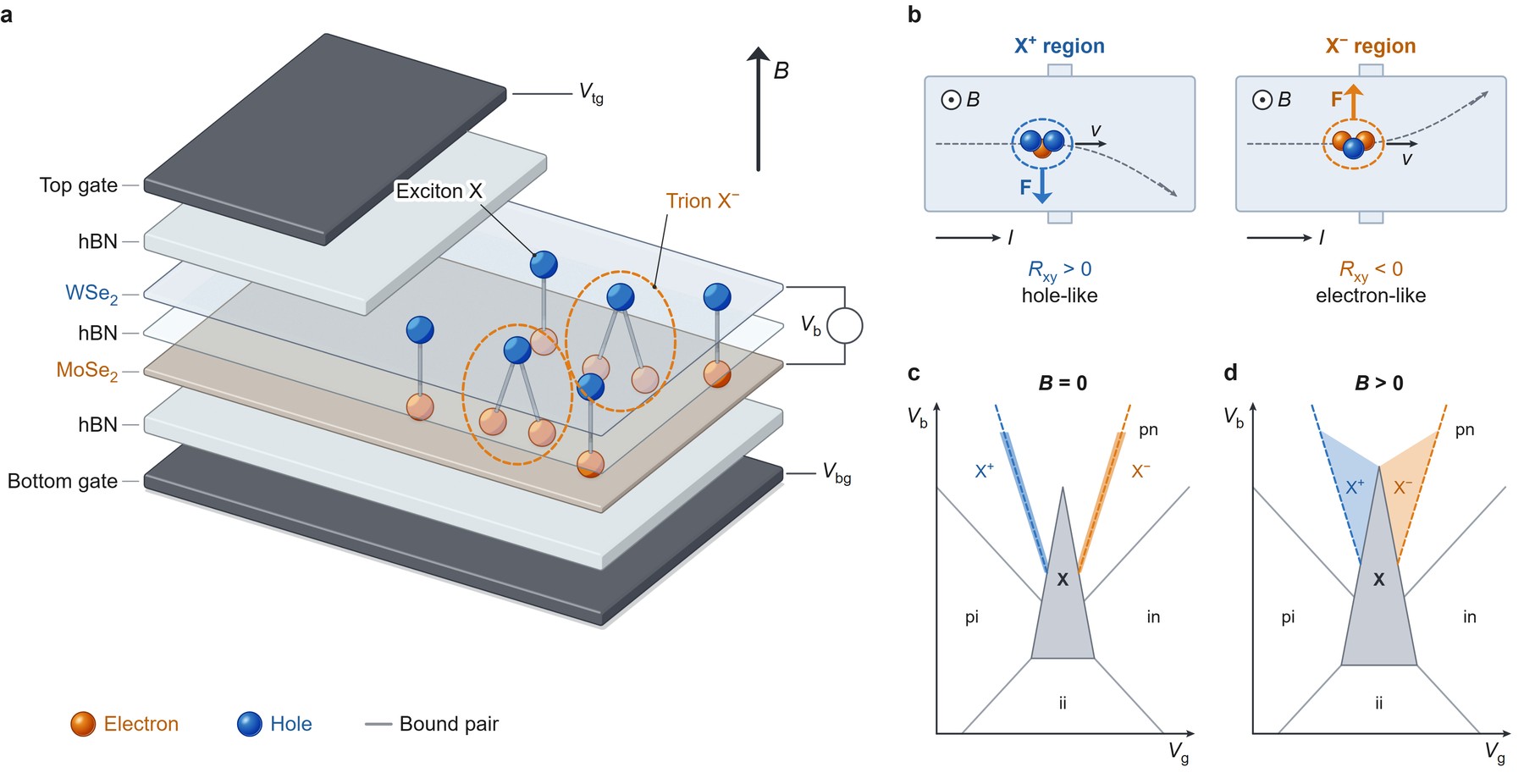
Chaturvedi et al., Trion Hall effect in electron–hole double layers, Nature Physics (2026). Published figure: CC BY 4.0.
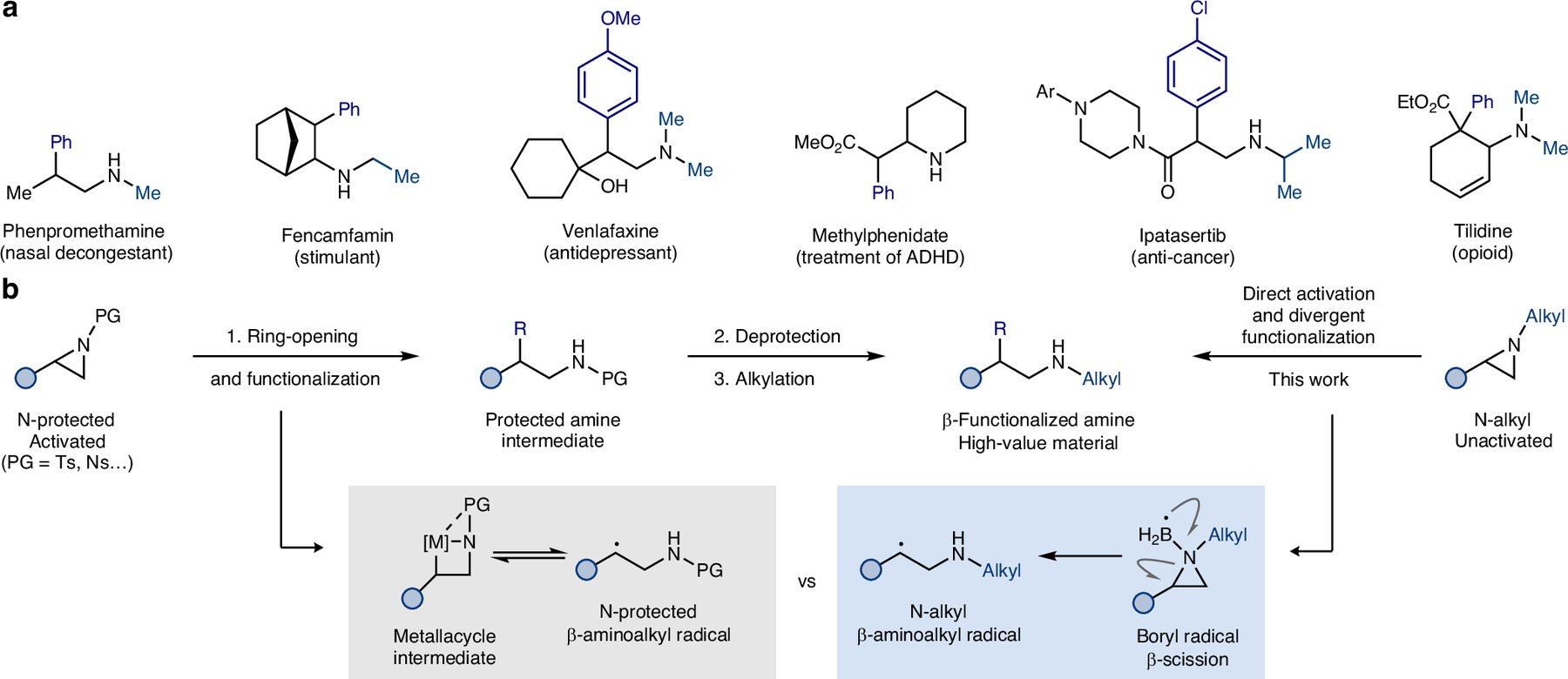
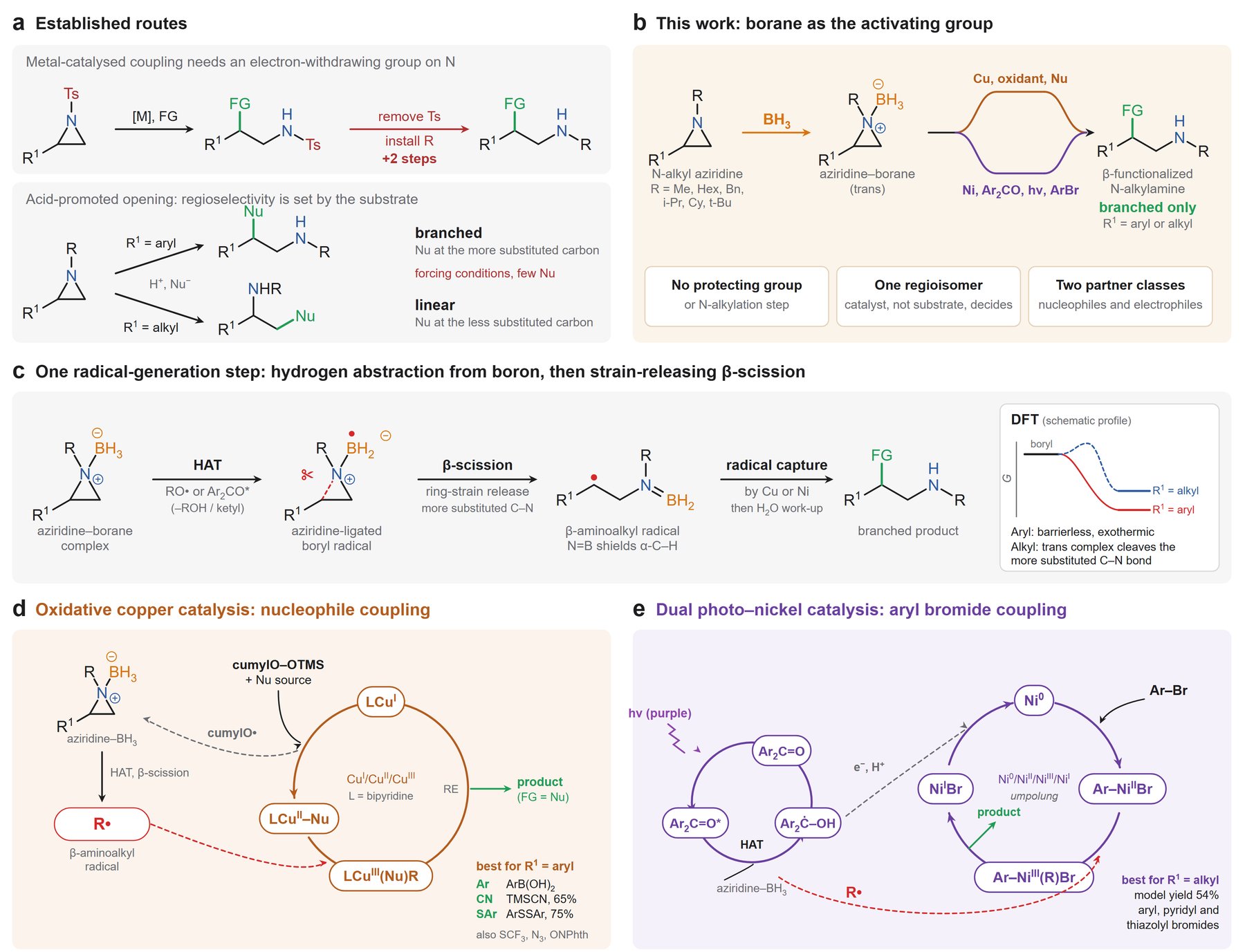
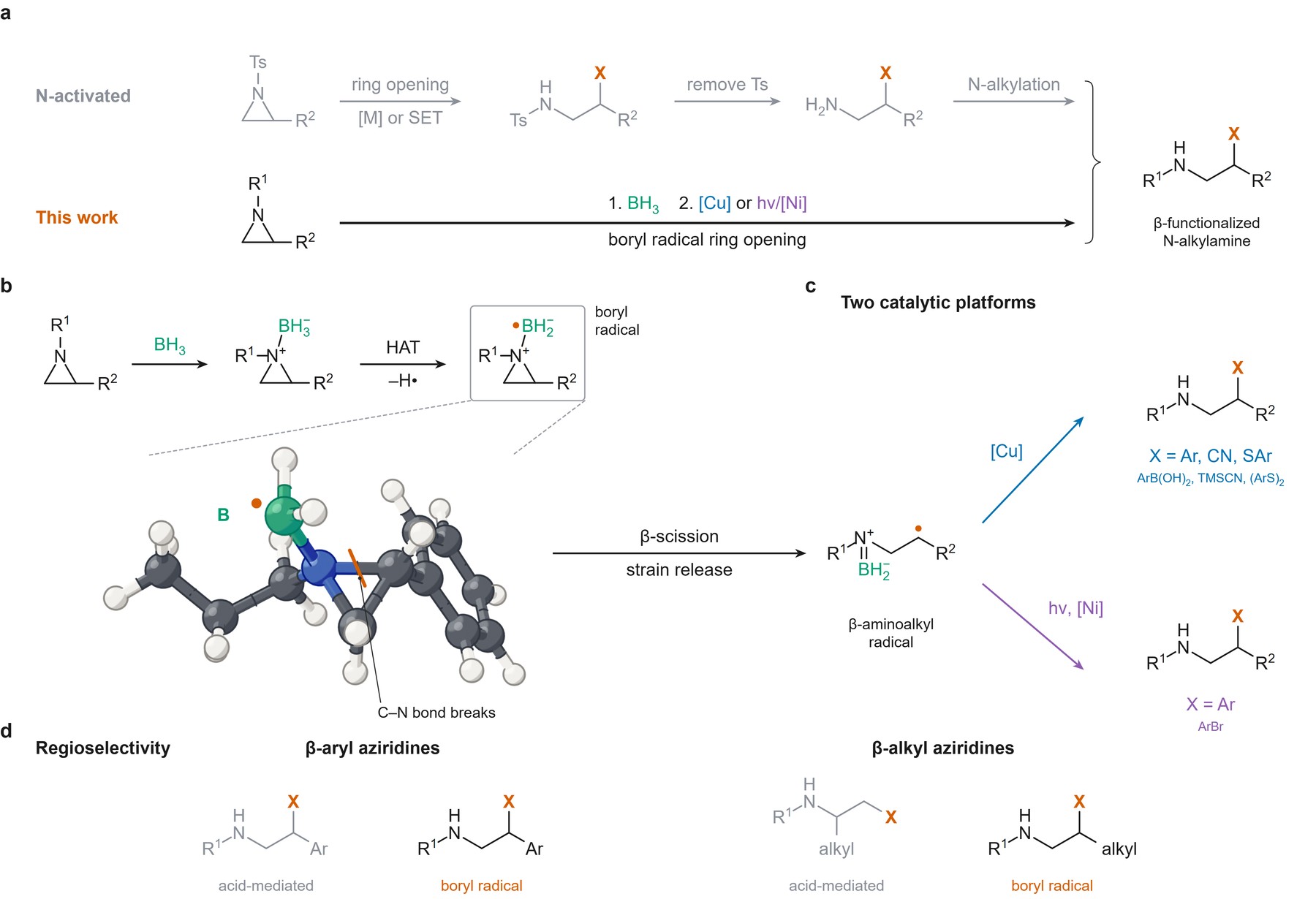
Peng et al., Divergent ring opening and functionalization of N-alkyl aziridines via boryl radical fragmentation, Nature Chemistry (2026). Published figure: CC BY 4.0.
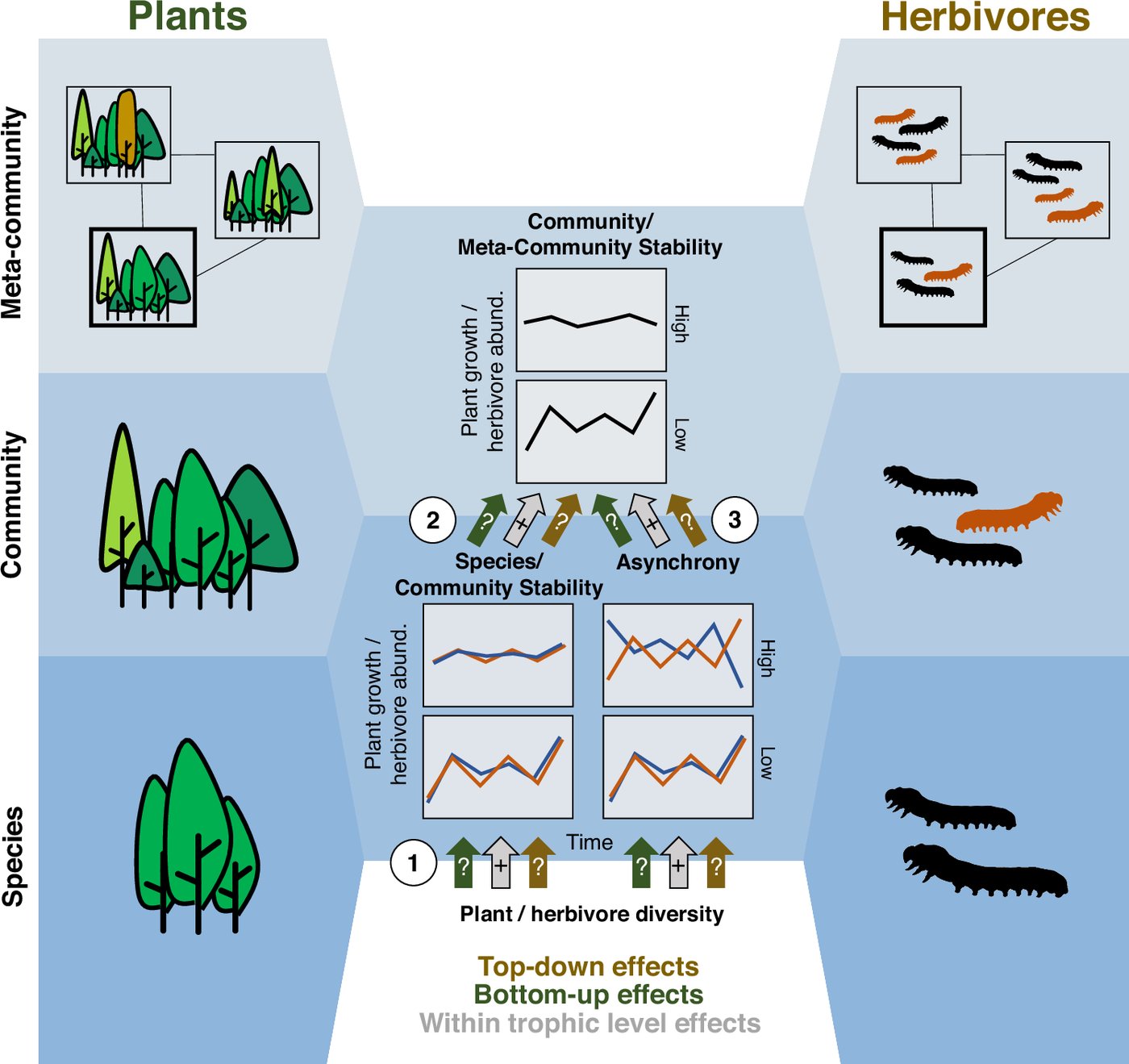
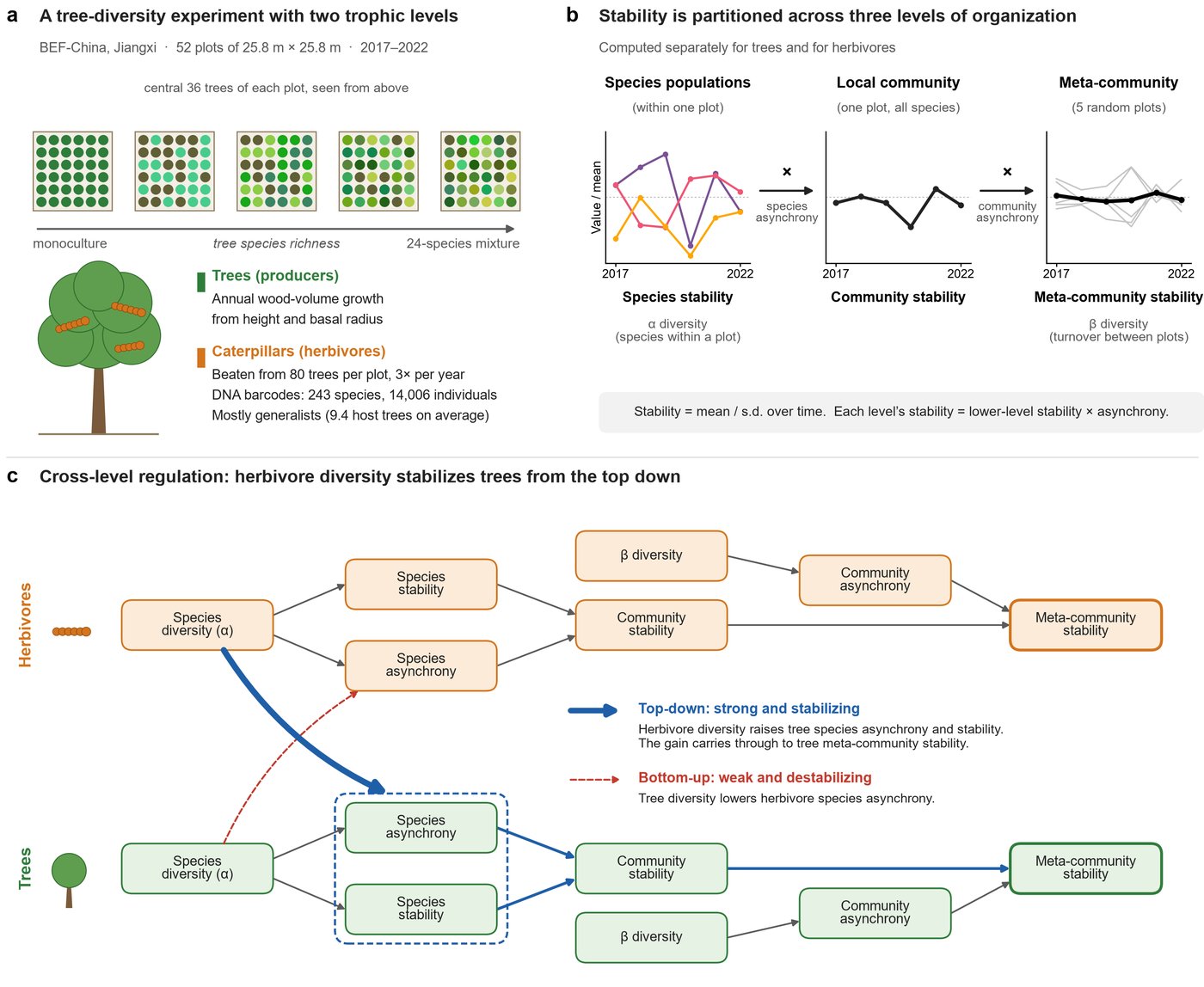
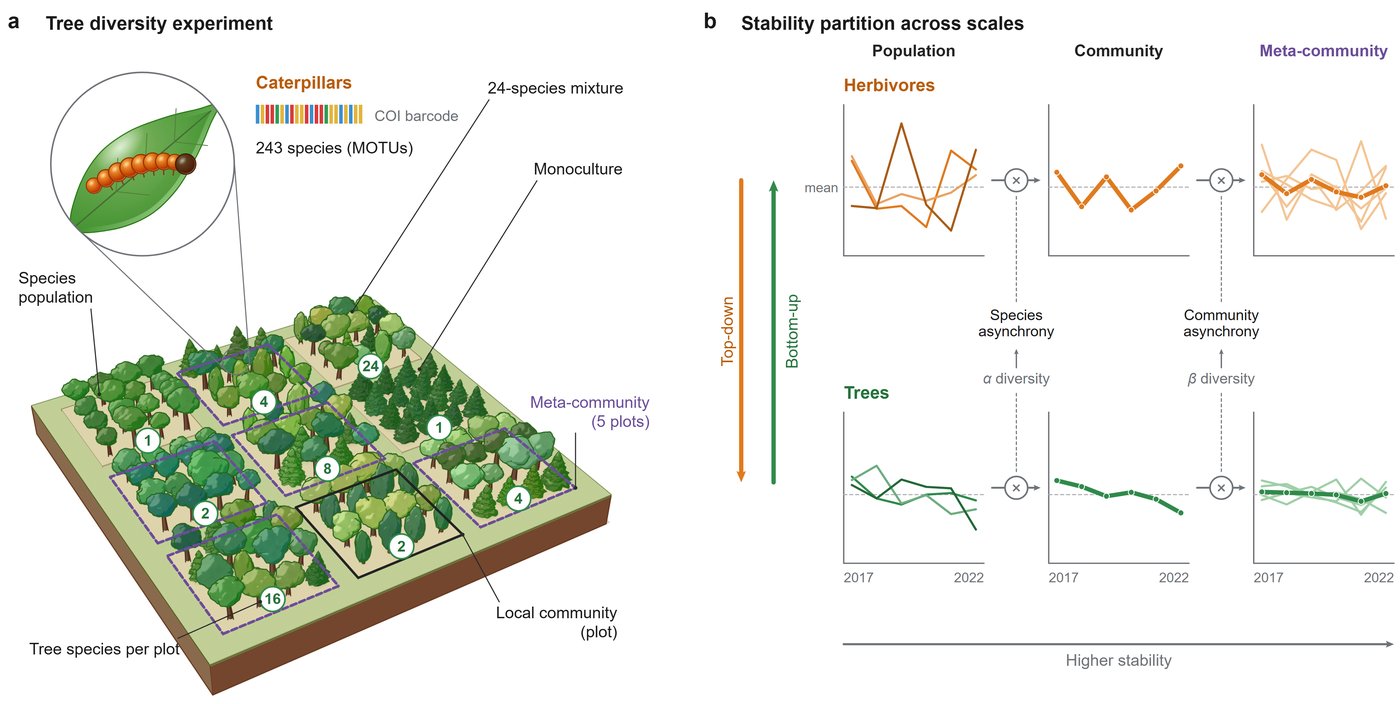
Wang et al., Scaling biodiversity-stability relationships from populations to meta-communities across trophic levels, Nature Communications (2026). Published figure: CC BY 4.0.
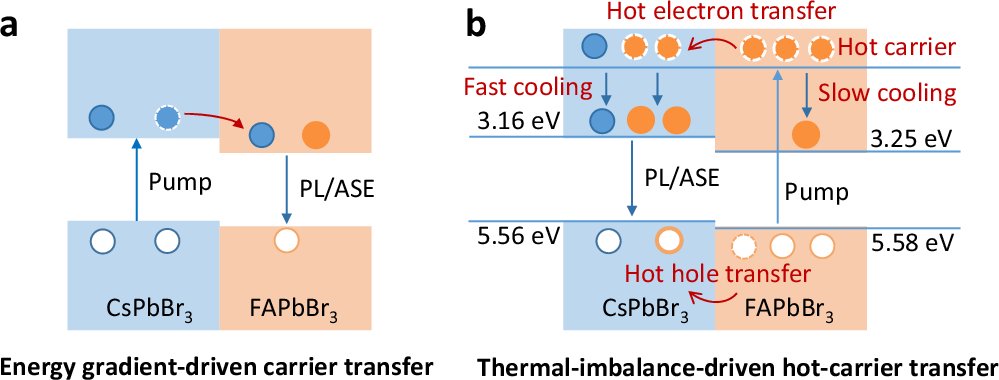
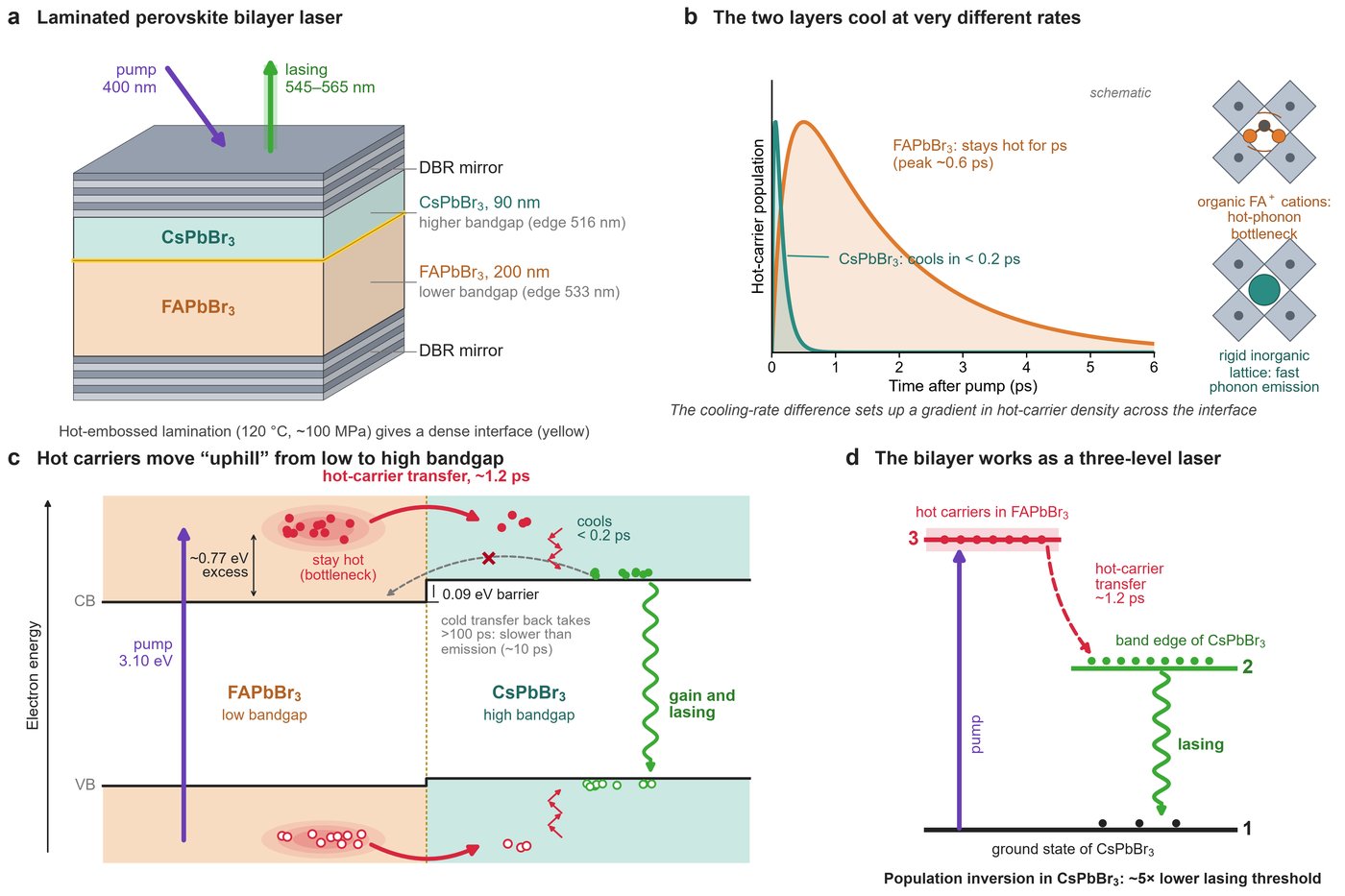
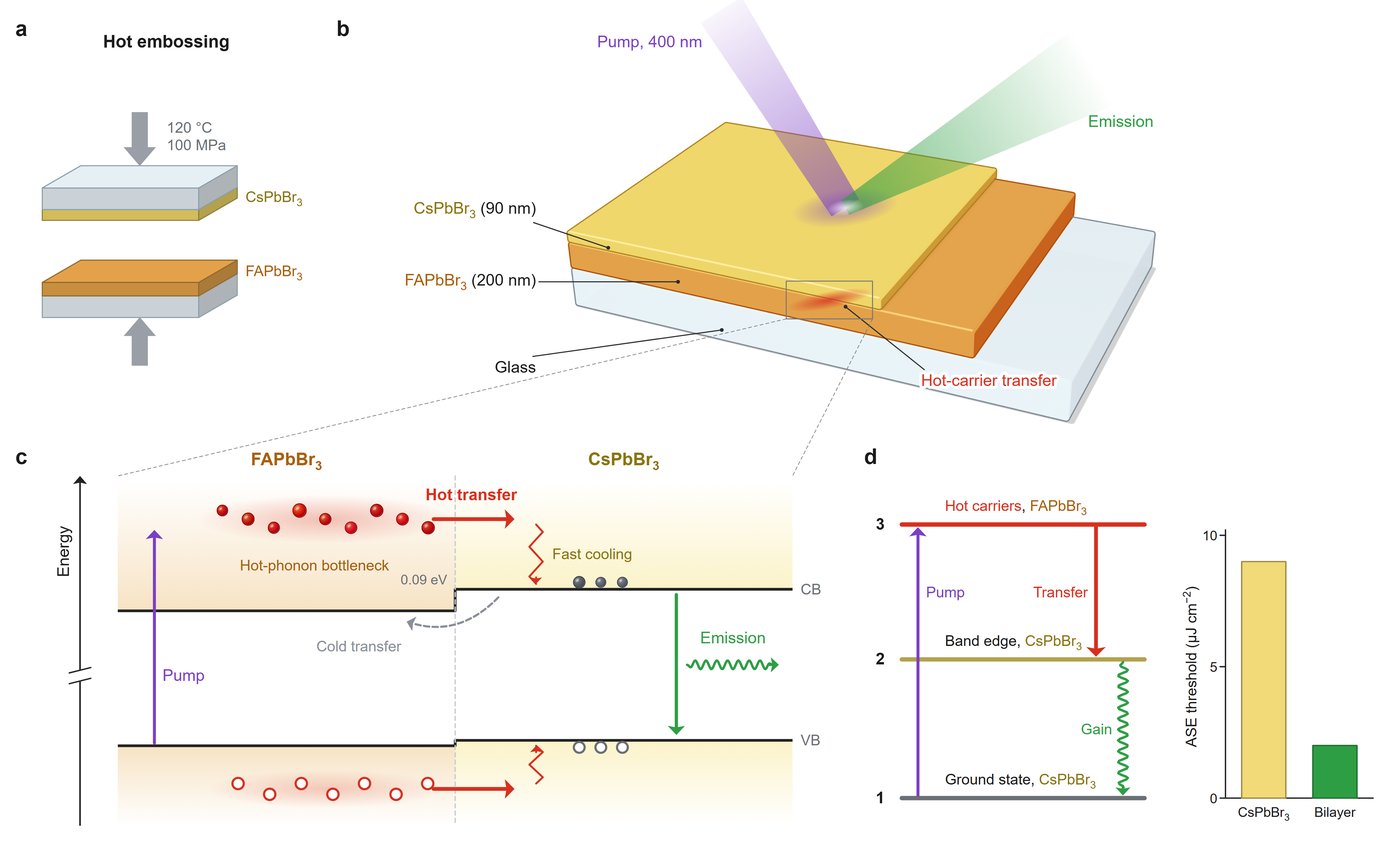
Liu et al., Ultrafast directional hot carrier transfer in bilayer perovskite heterojunctions, Nature Communications (2026). Published figure: CC BY 4.0.
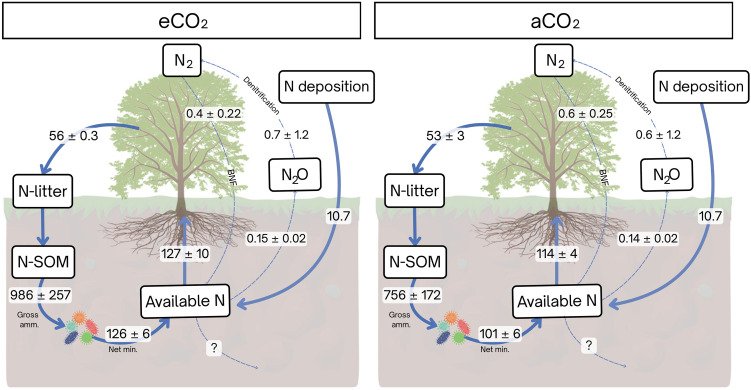
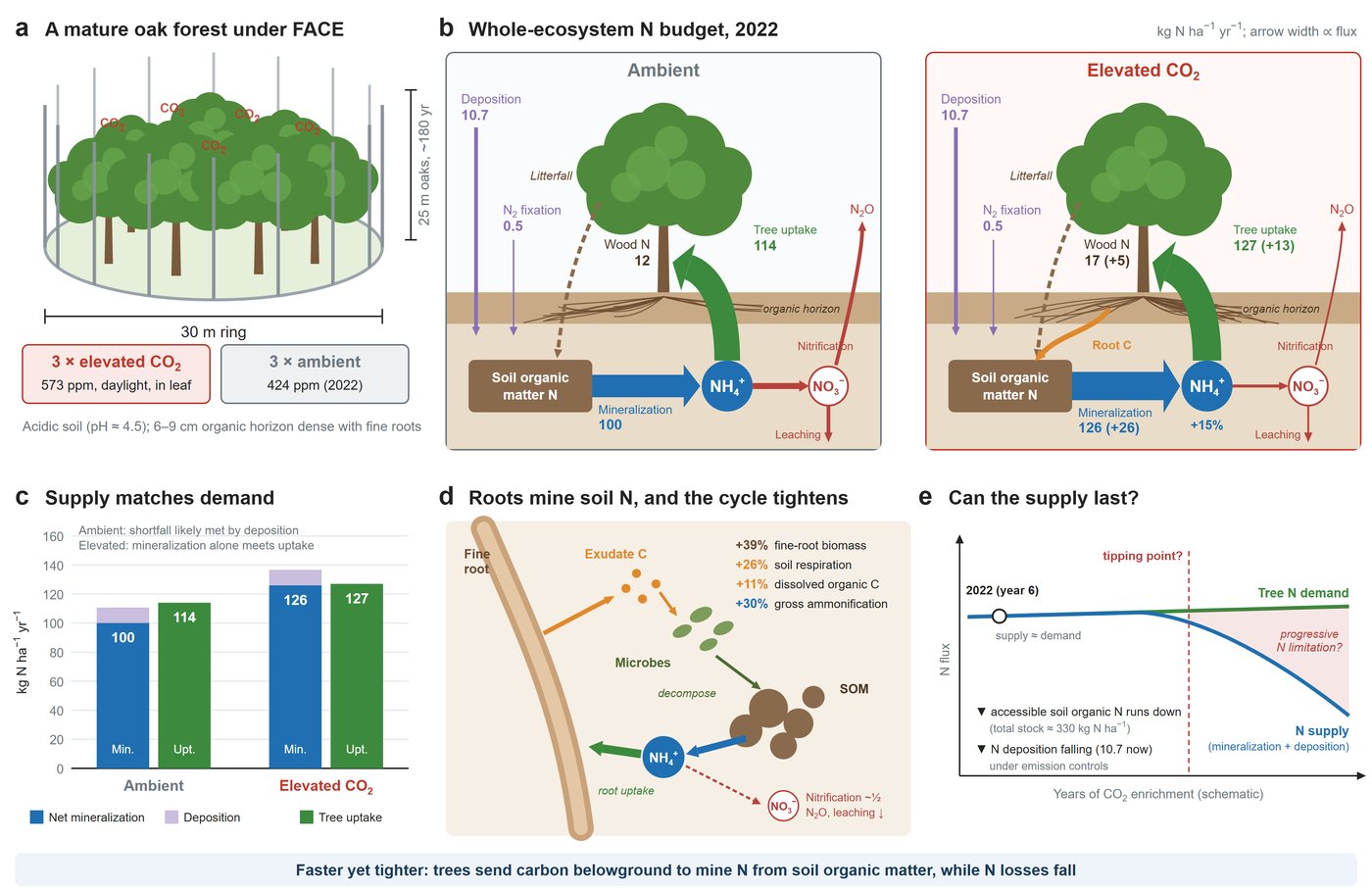
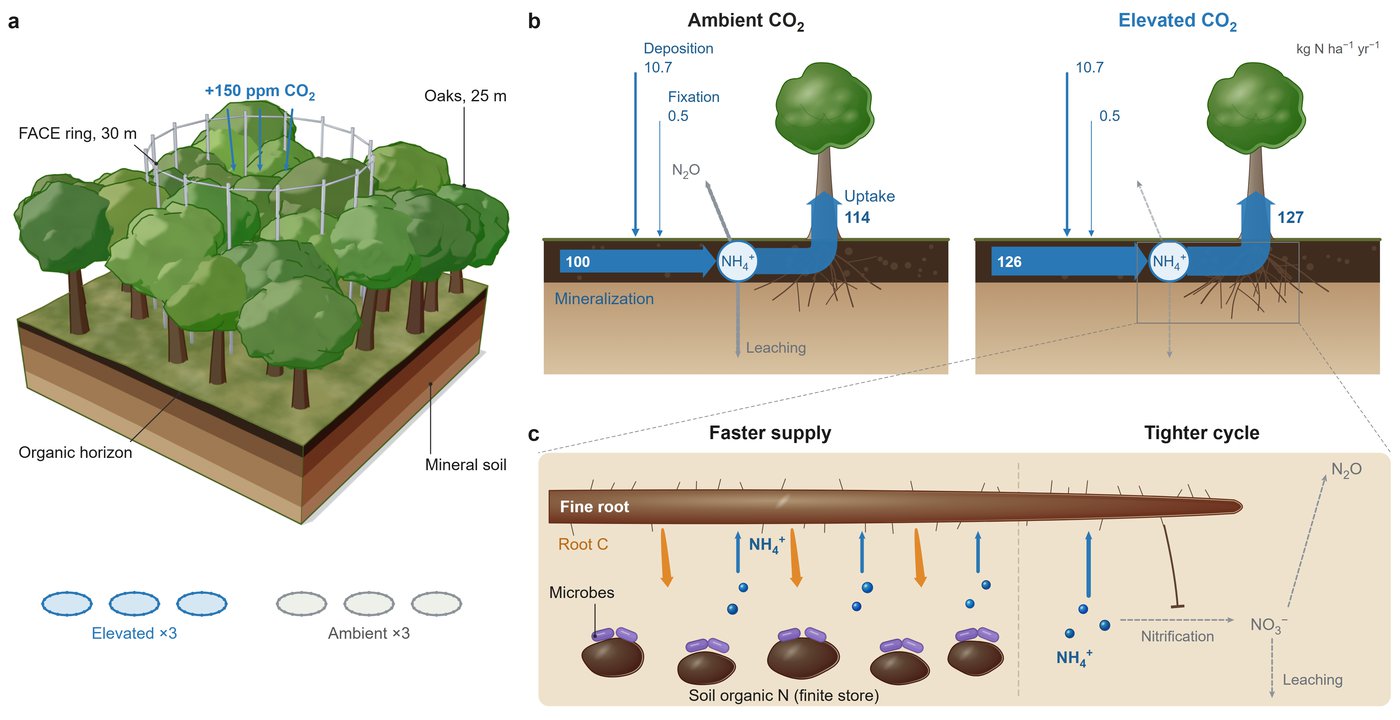
Rumeau et al., Faster-and-tighter nitrogen cycle supports mature forest productivity under elevated CO₂, Science Advances (2026). Published figure: CC BY 4.0.
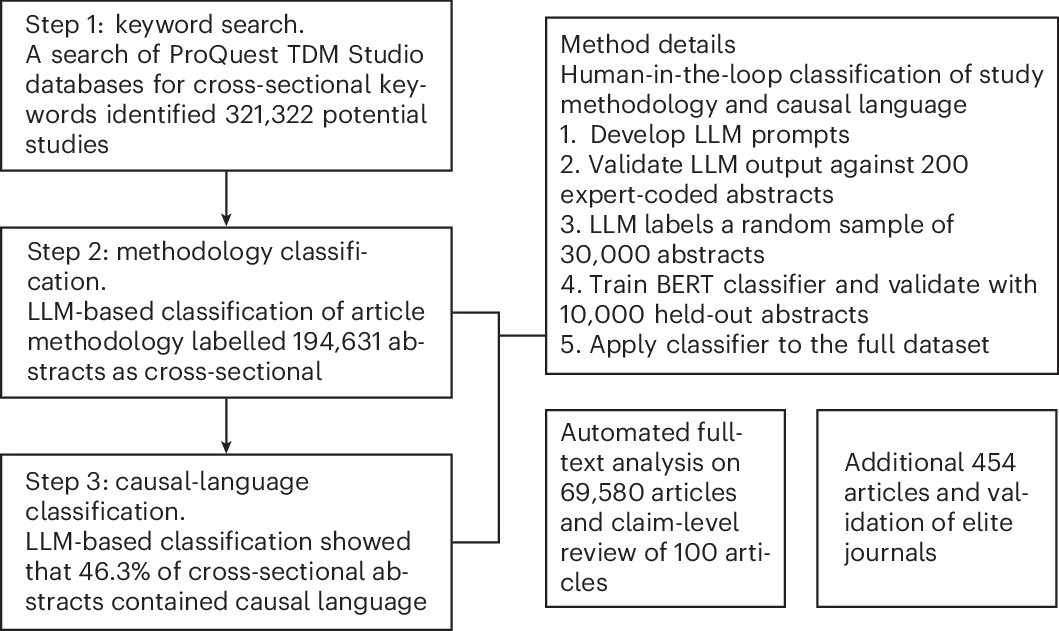
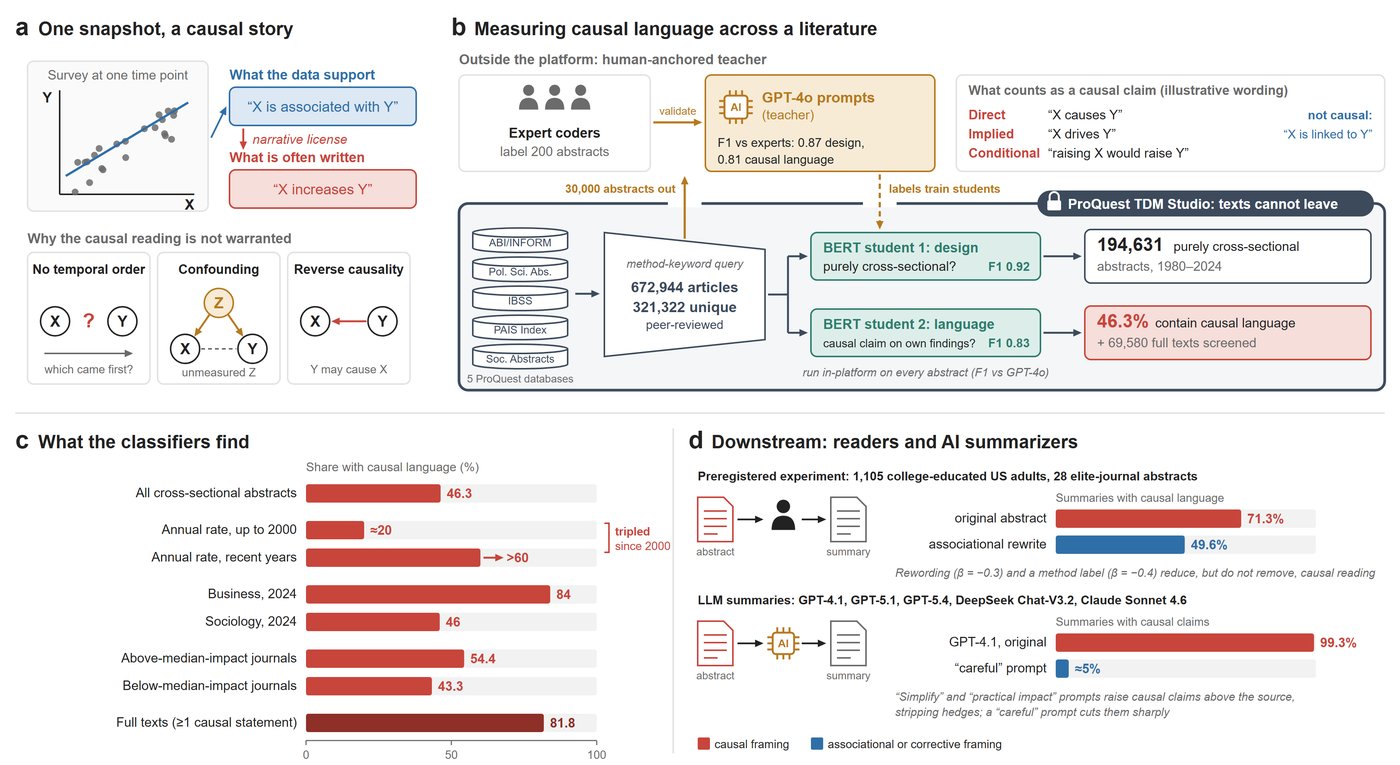
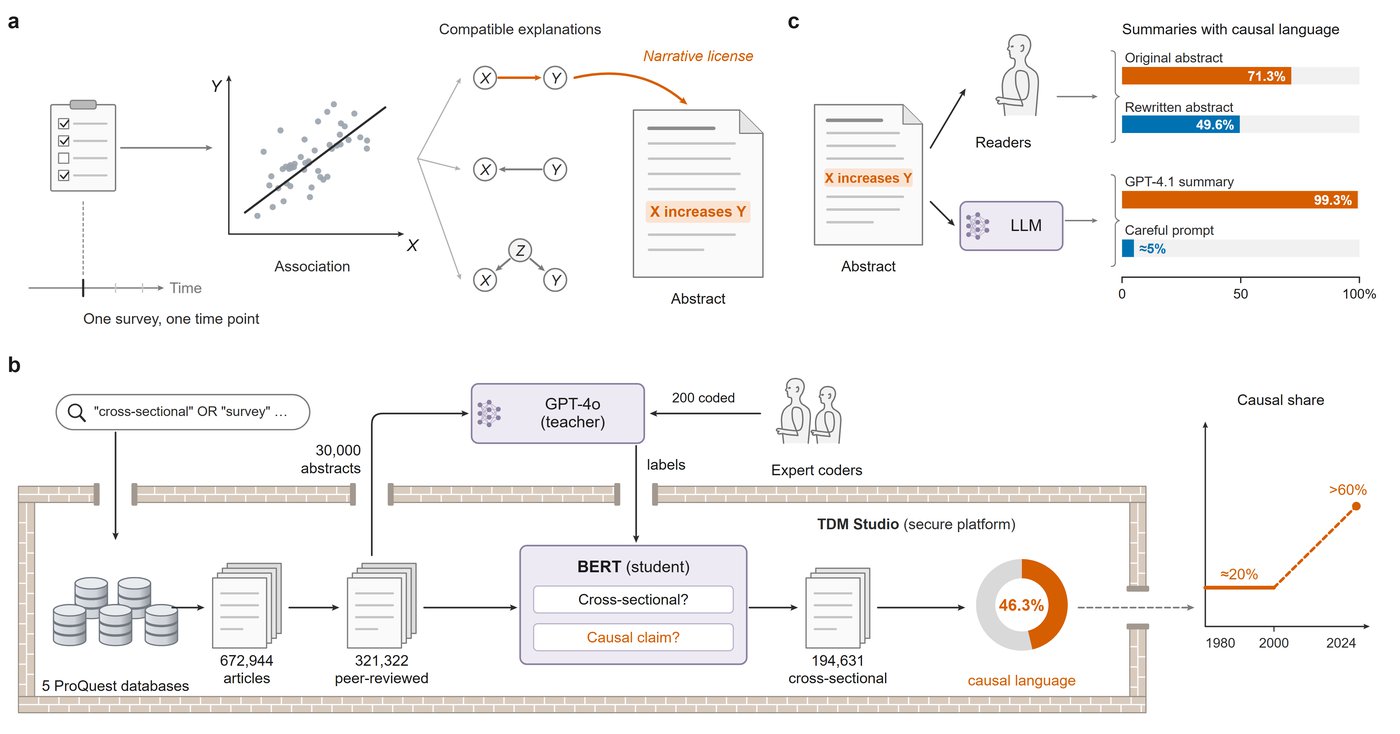
Isch et al., Quantifying the prevalence and impact of overreaching causal claims in social science, Nature Human Behaviour (2026). Published figure: CC BY 4.0.
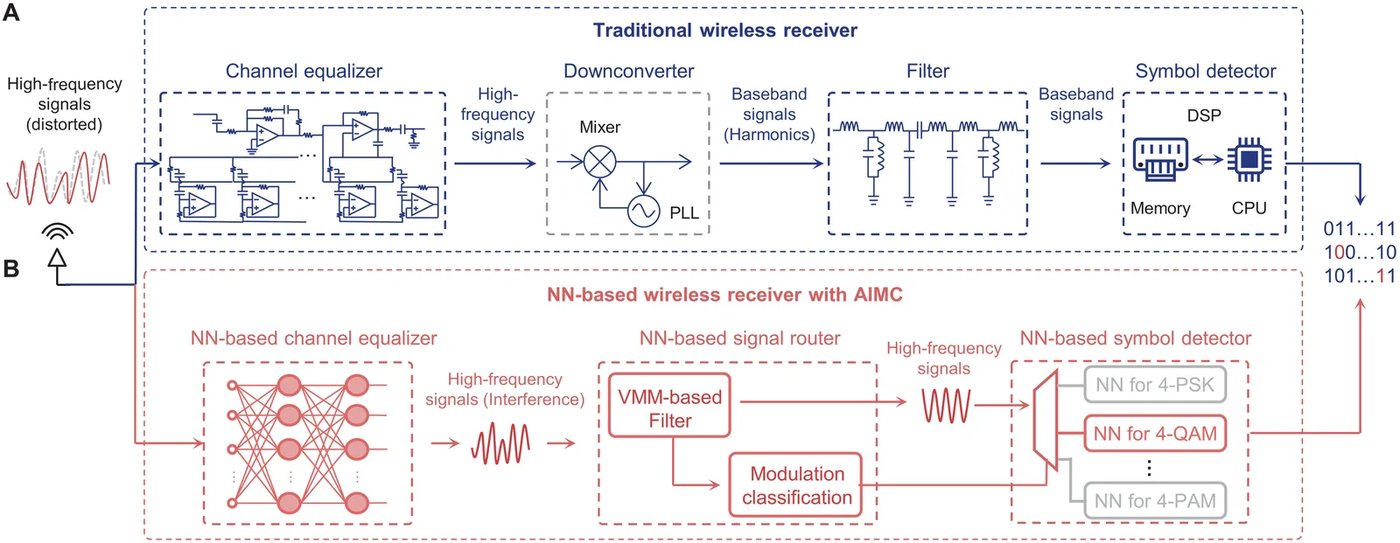
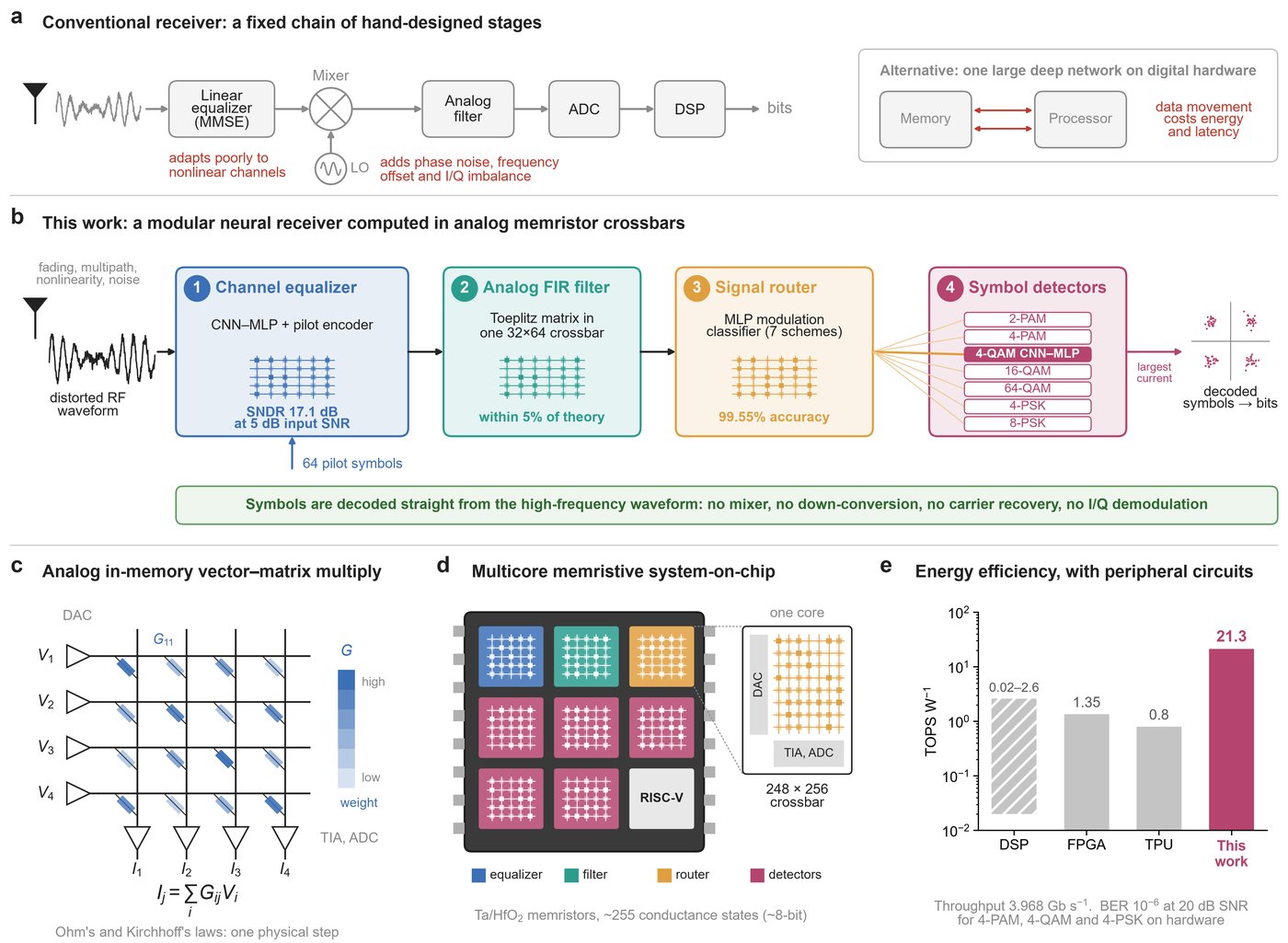
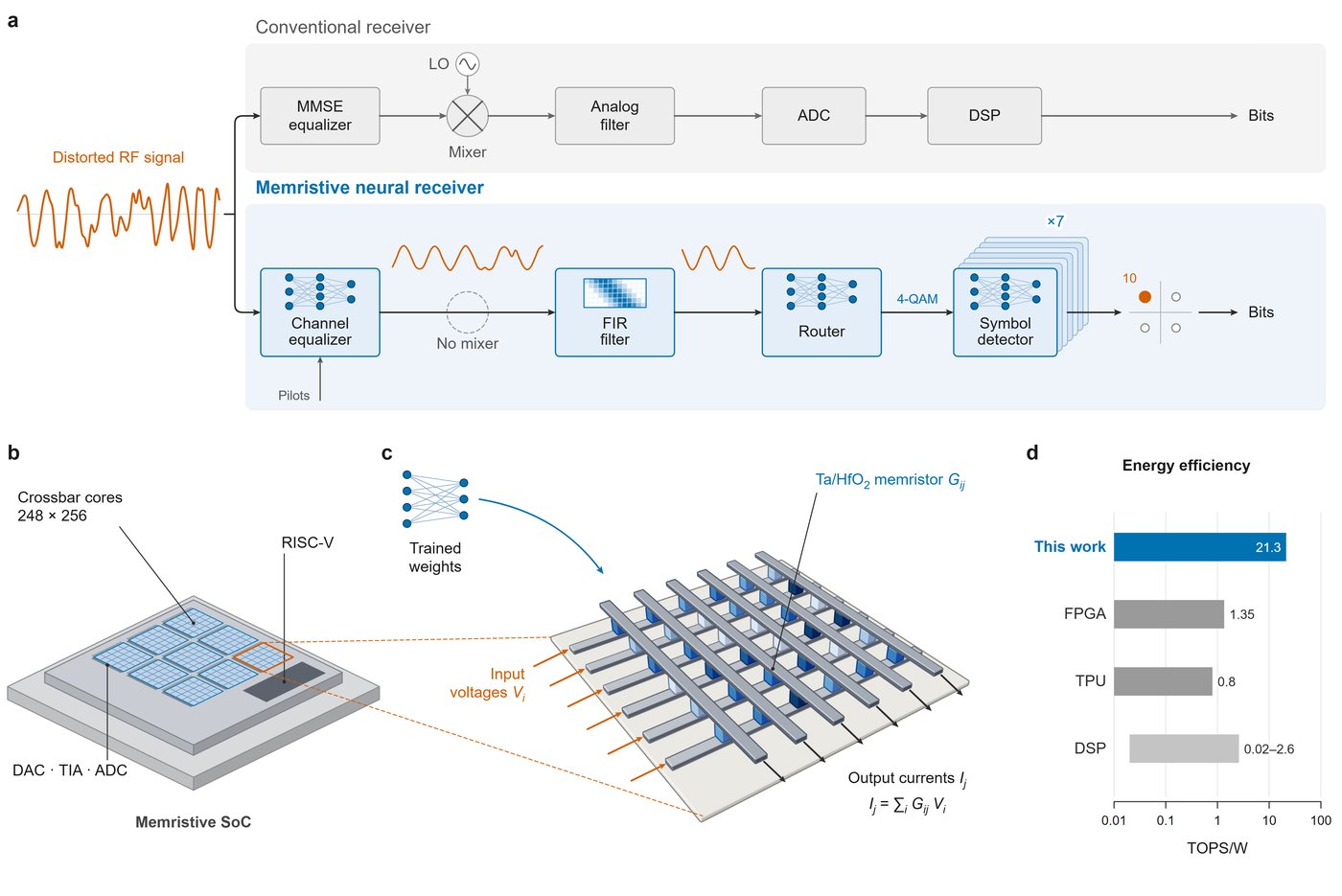
He et al., Analog neural network–based wireless receiver, Science Advances (2026). Published figure: CC BY 4.0.
We trained this skill on published scientific papers’ schematic figures, but what the skill has learned generalizes well beyond a completed paper. Prompts as short as one sentence and as long as a technical description of a paper all work well, so you can also use the skill for slides or an experimental report. Below is a gallery of figures we generated across domains with just a simple prompt of one or two sentences.
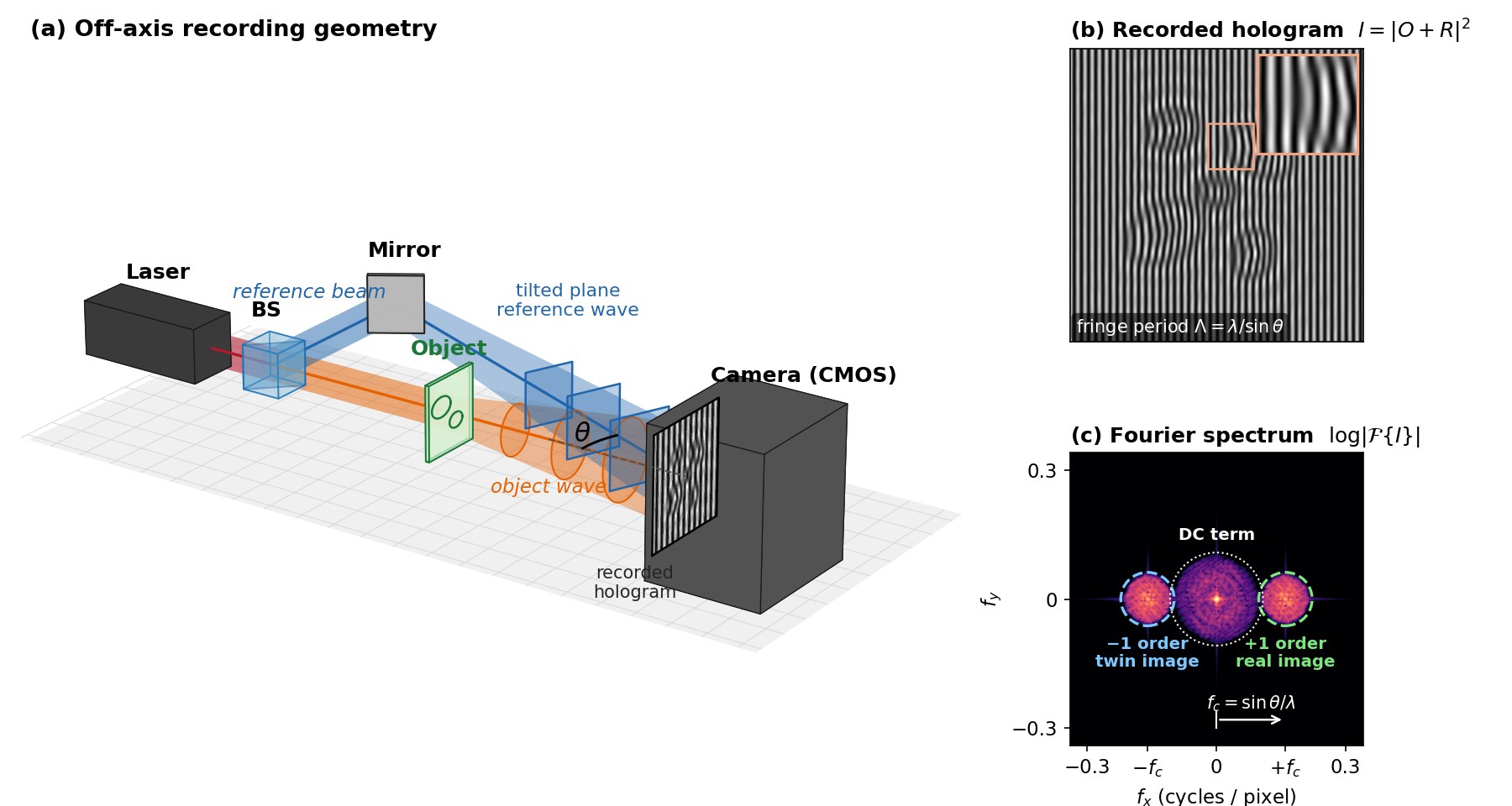
Prompt: “Draw an off-axis digital holography setup in 3D. Show the tilted reference beam, the camera, the recorded hologram, and its Fourier spectrum with the two sidebands”.
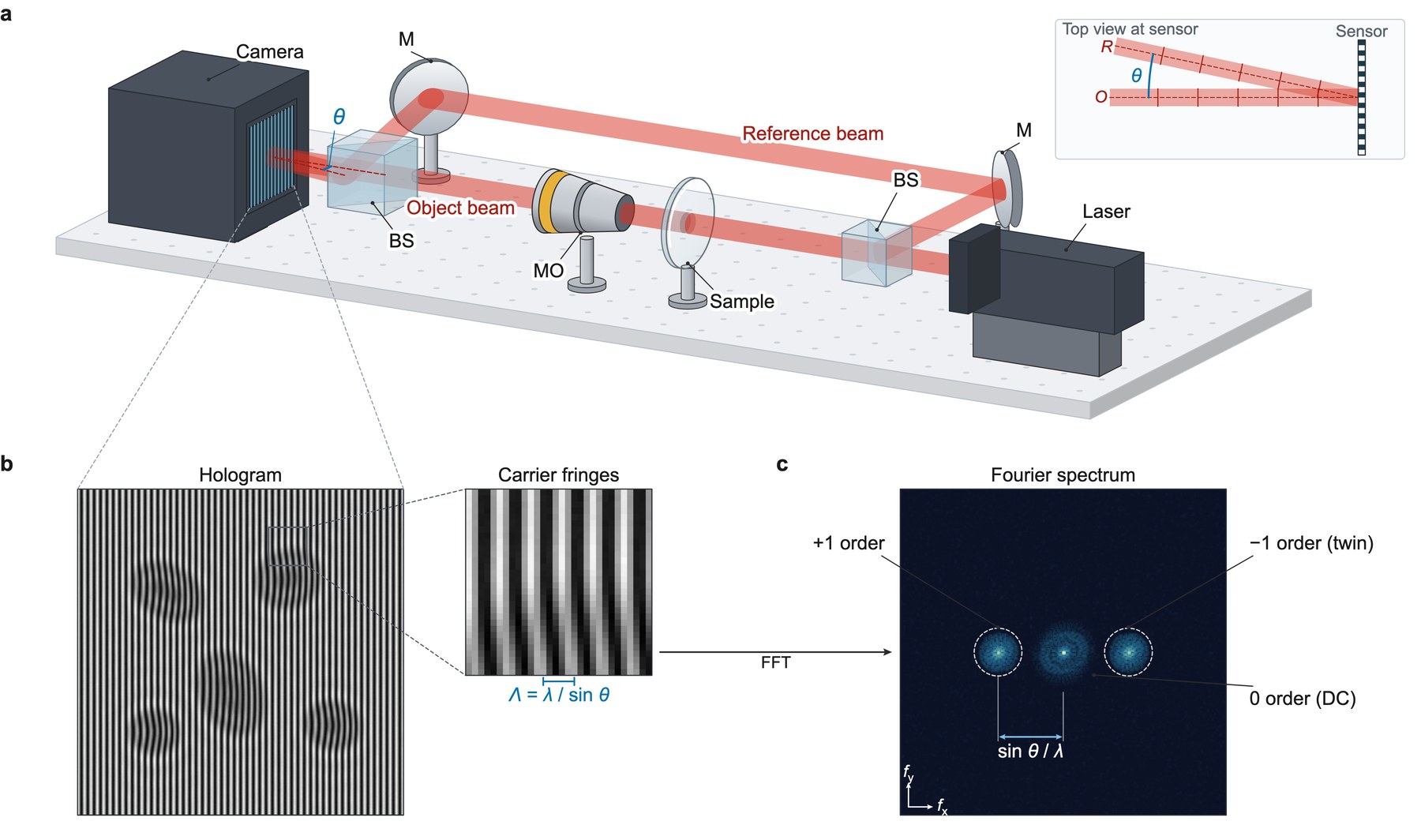
Prompt: “Use the schematic-figure skill. Draw an off-axis digital holography setup in 3D. Show the tilted reference beam, the camera, the recorded hologram, and its Fourier spectrum with the two sidebands”.
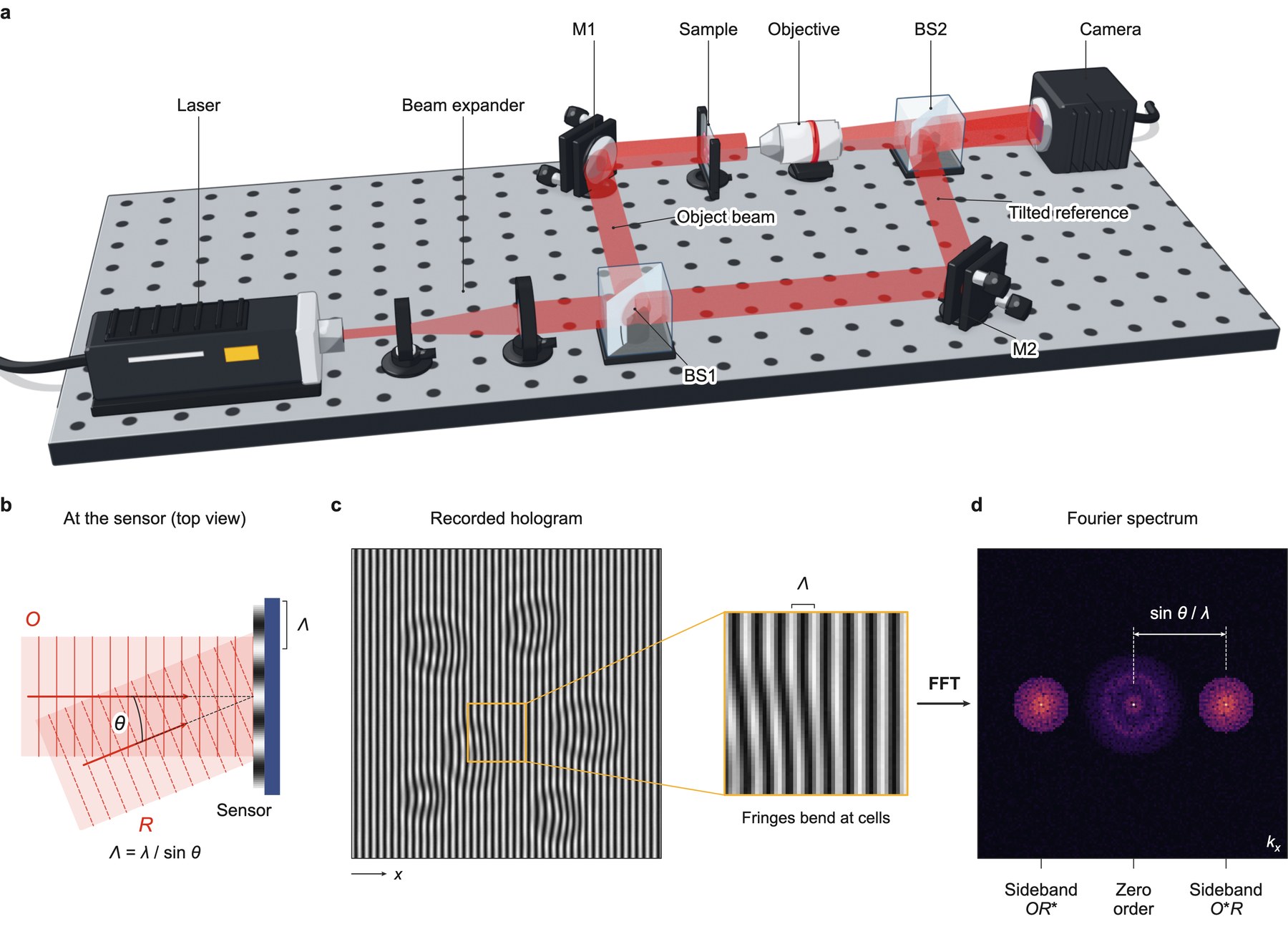
Prompt: “Use the schematic-figure skill. Draw an off-axis digital holography setup in 3D. Show the tilted reference beam, the camera, the recorded hologram, and its Fourier spectrum with the two sidebands. Render the setup in Blender”.
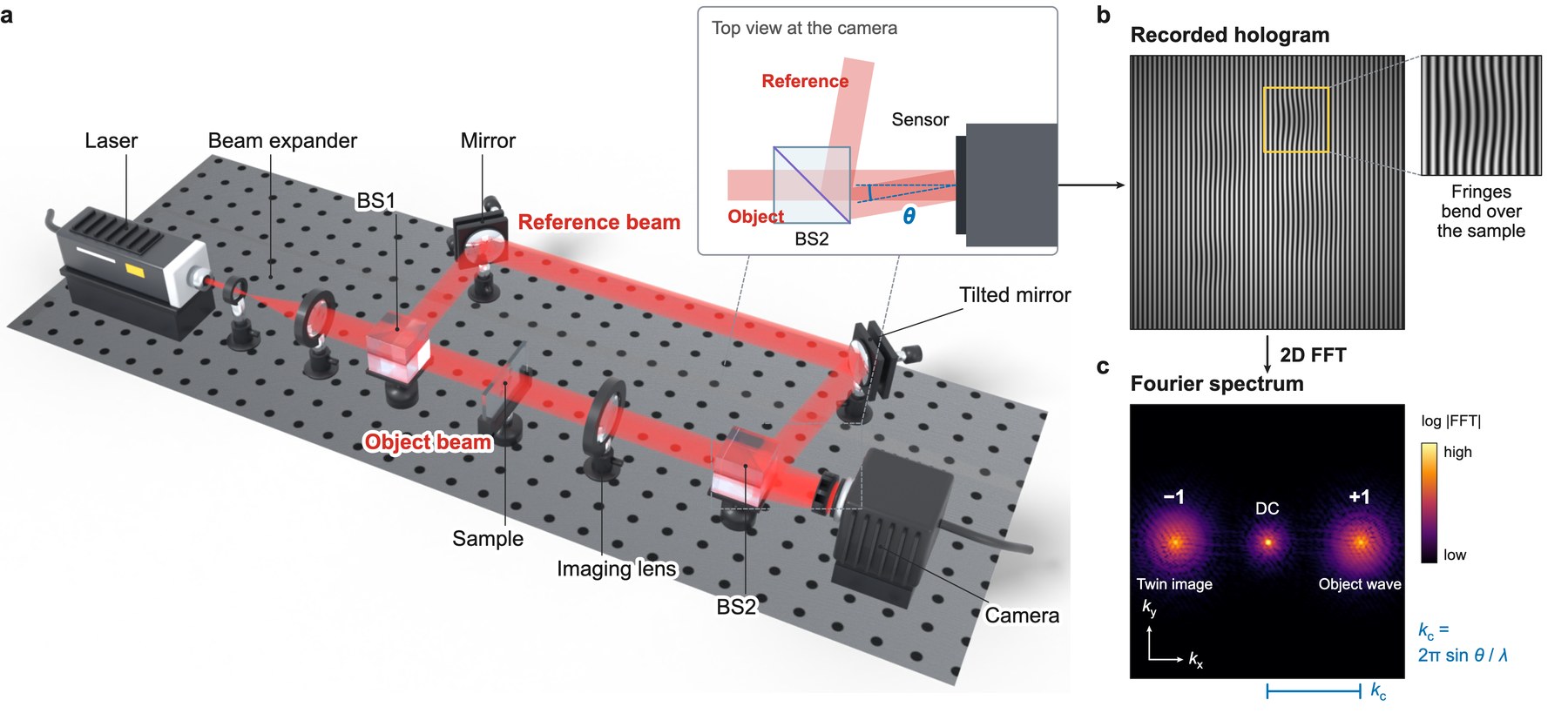
Prompt: “Use the schematic-figure skill. Draw an off-axis digital holography setup in 3D. Show the tilted reference beam, the camera, the recorded hologram, and its Fourier spectrum with the two sidebands. Render the setup in Blender with photoreal glass”.
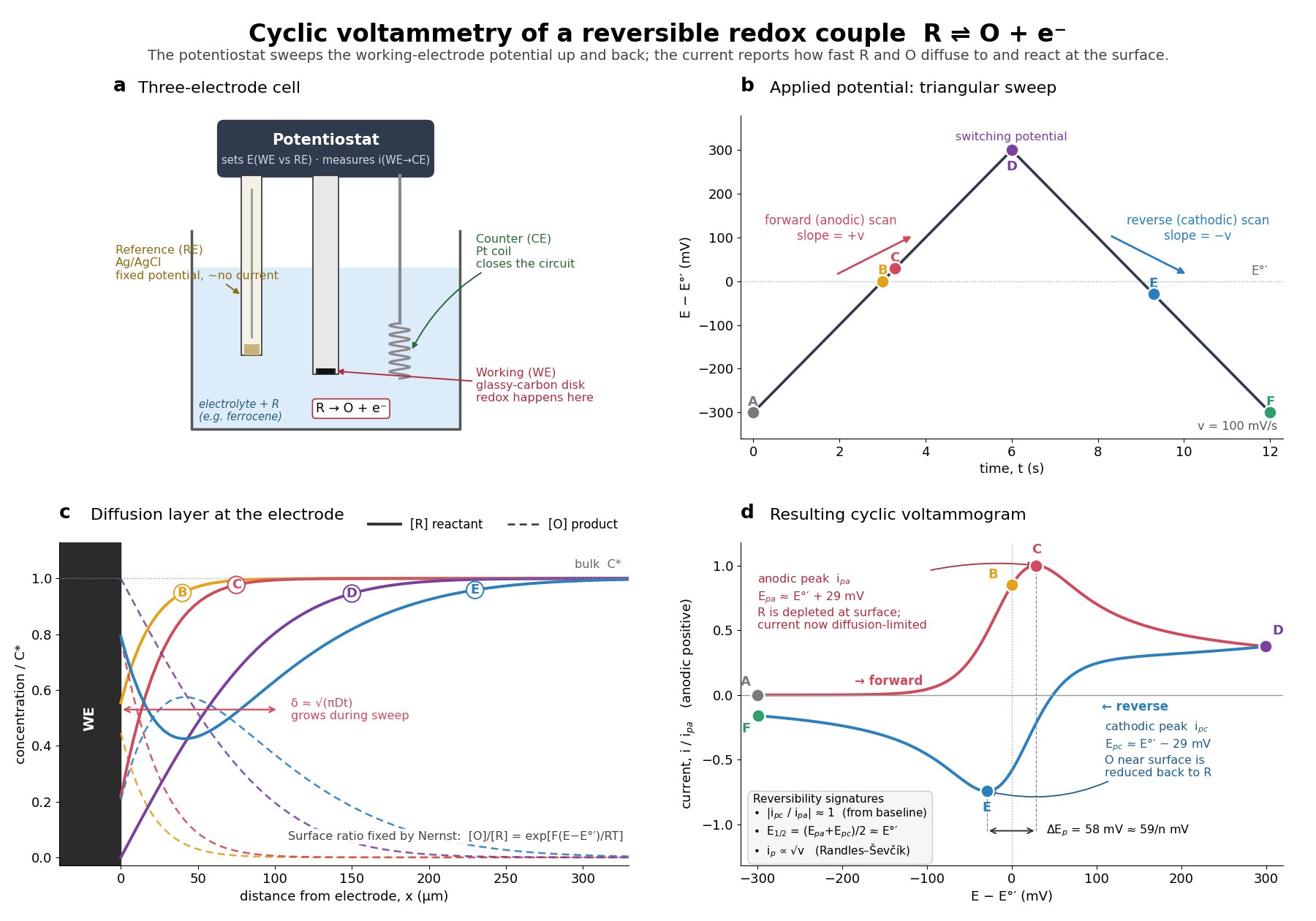
Prompt: “Draw how cyclic voltammetry measures a reversible redox couple. Show the three-electrode cell, the triangular potential sweep, the diffusion layer at the electrode, and the resulting voltammogram with its two peaks”.
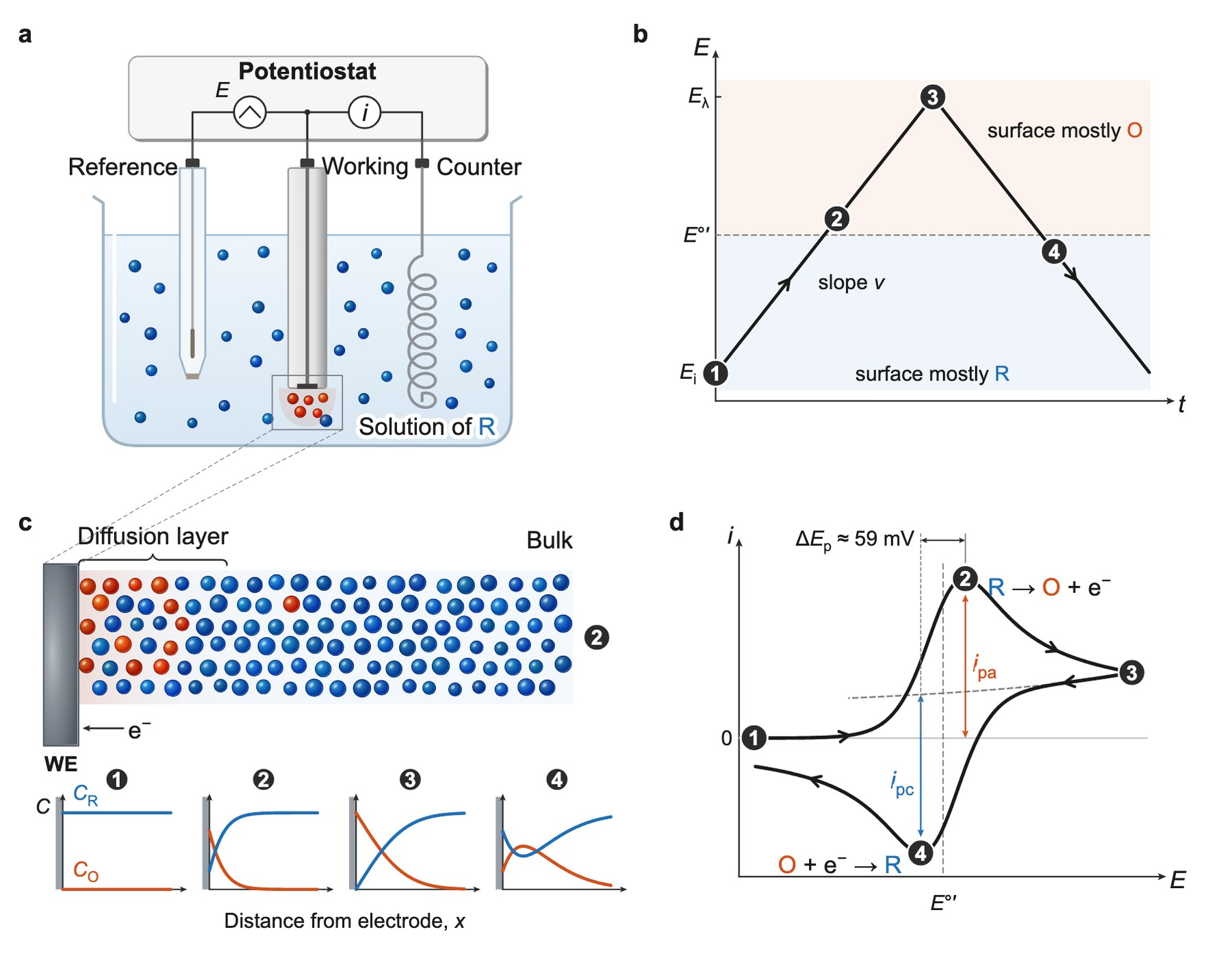
Prompt: “Use the schematic-figure skill. Draw how cyclic voltammetry measures a reversible redox couple. Show the three-electrode cell, the triangular potential sweep, the diffusion layer at the electrode, and the resulting voltammogram with its two peaks”.
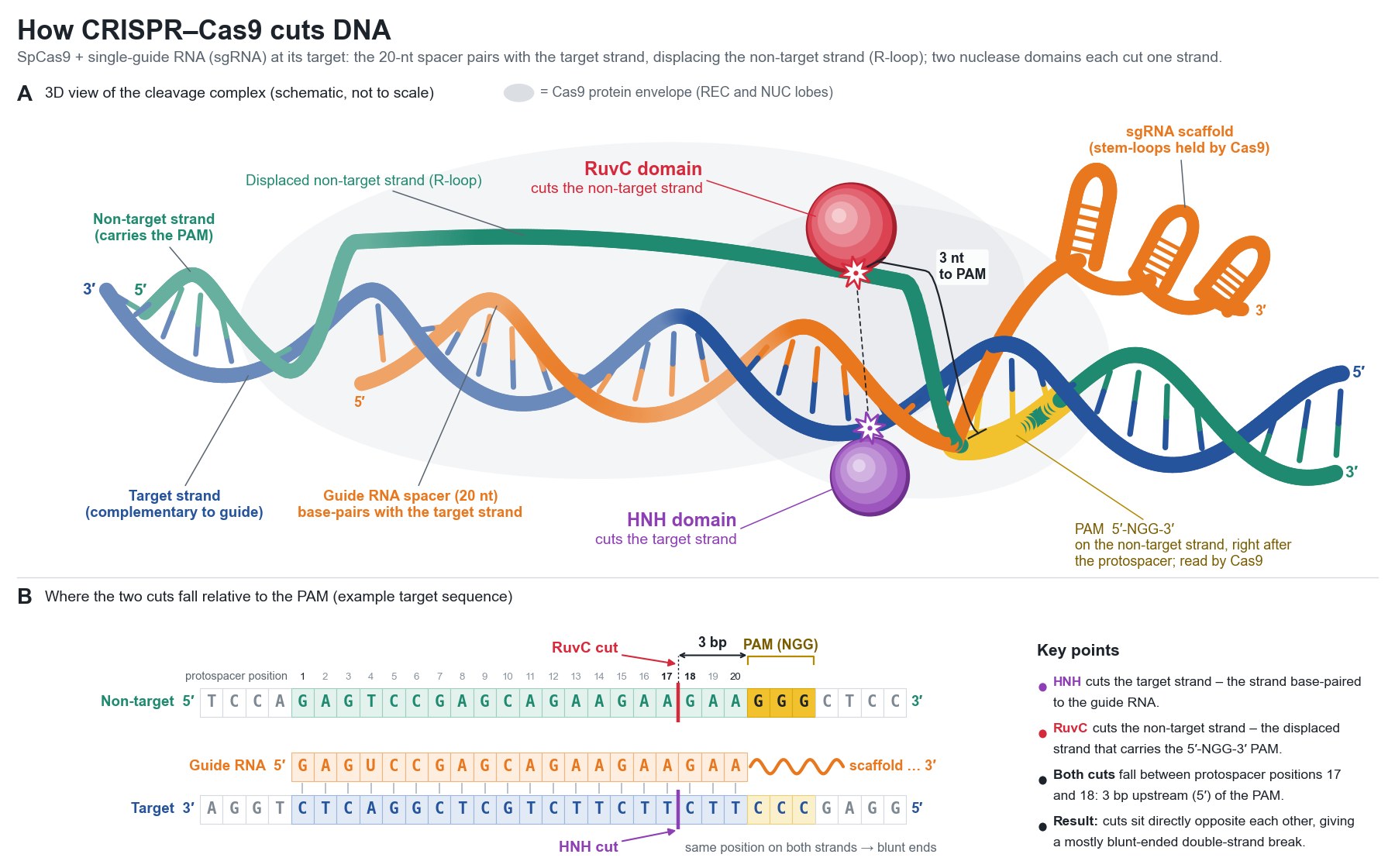
Prompt: “Draw how CRISPR-Cas9 cuts DNA in 3D. Show the guide RNA, the PAM site and the two nuclease domains. Show which strand each nuclease domain cuts and where the cut falls relative to the PAM”.
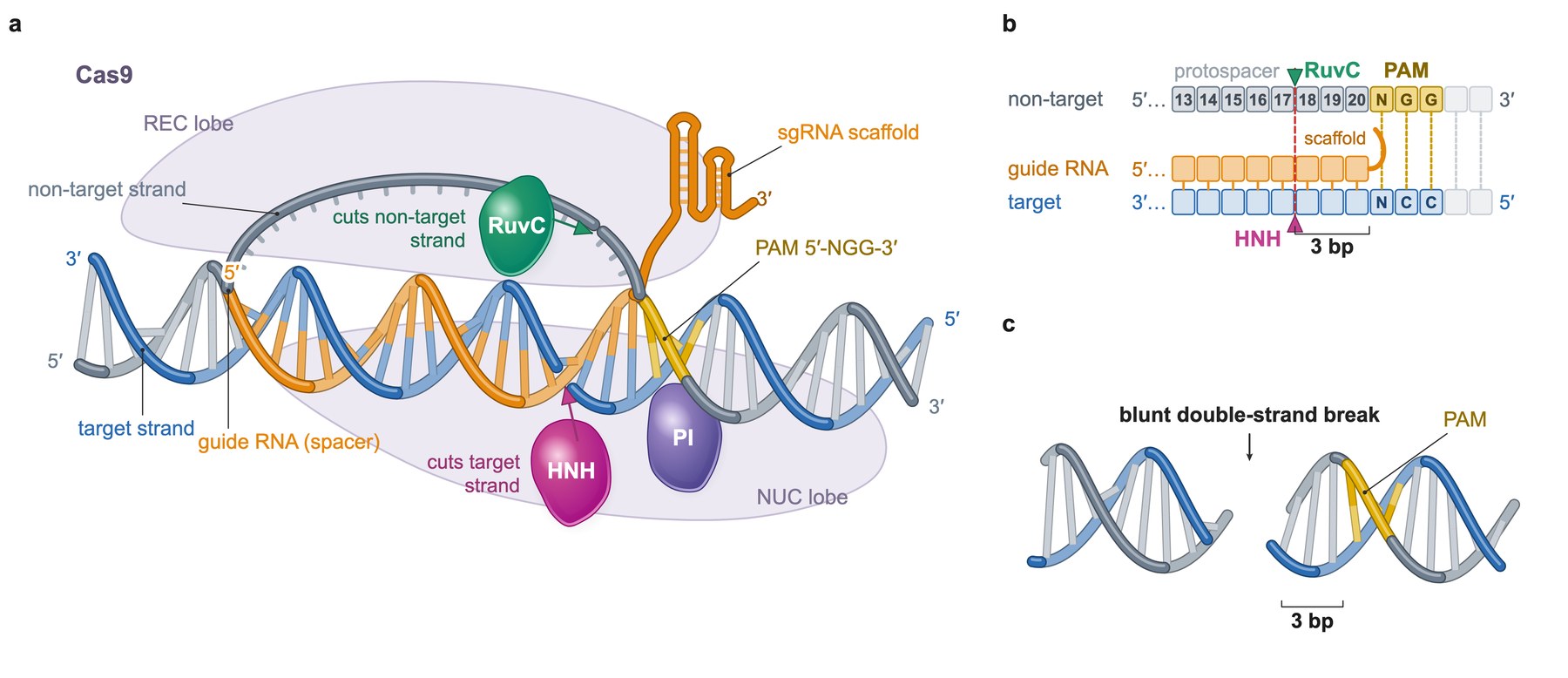
Prompt: “Use the schematic-figure skill. Draw how CRISPR-Cas9 cuts DNA in 3D. Show the guide RNA, the PAM site and the two nuclease domains. Show which strand each nuclease domain cuts and where the cut falls relative to the PAM”.
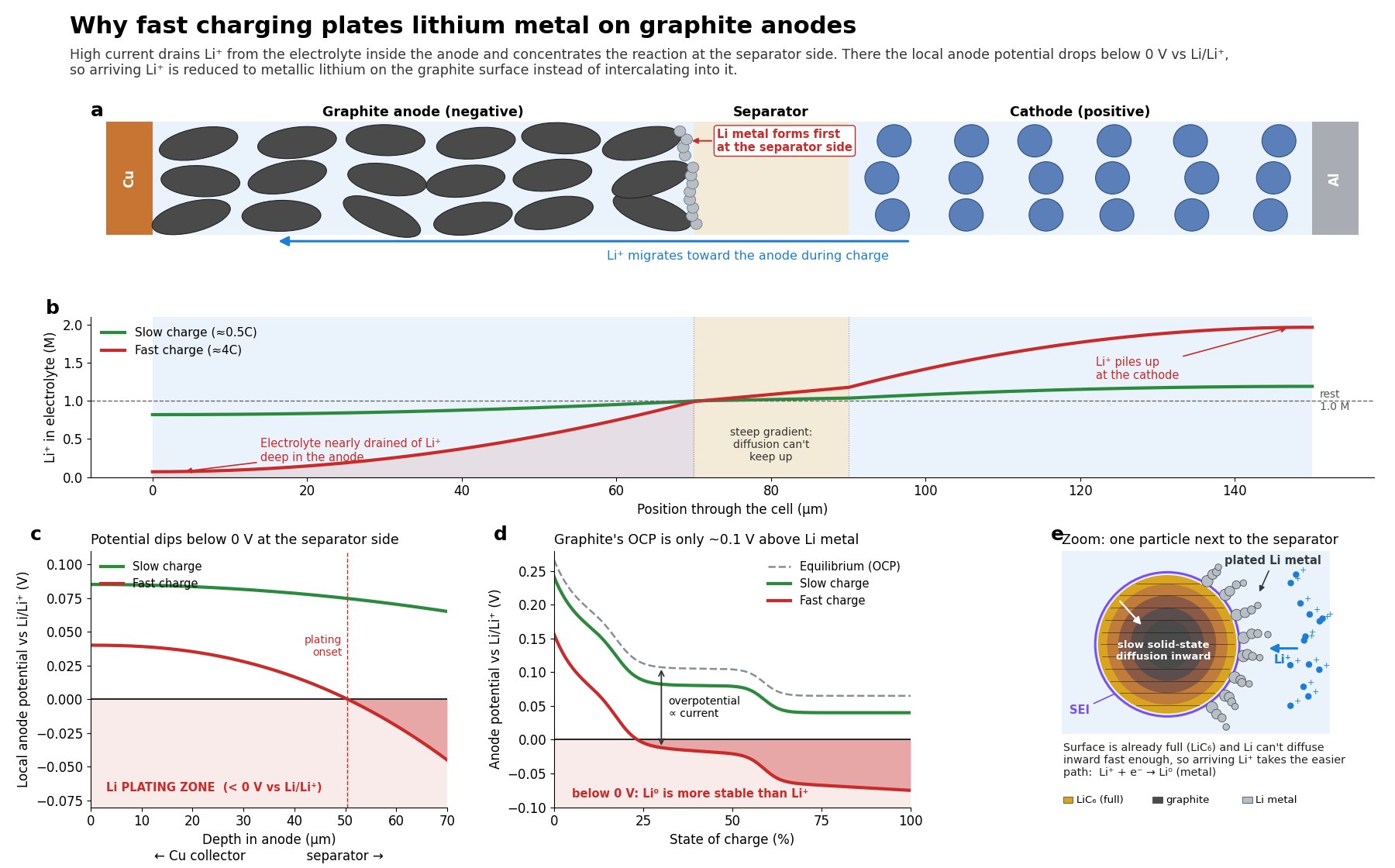
Prompt: “Draw why fast charging plates lithium on graphite. Show the Li⁺ concentration gradient across the electrolyte, the anode potential falling below 0 V vs Li, and metal forming on the particles”.
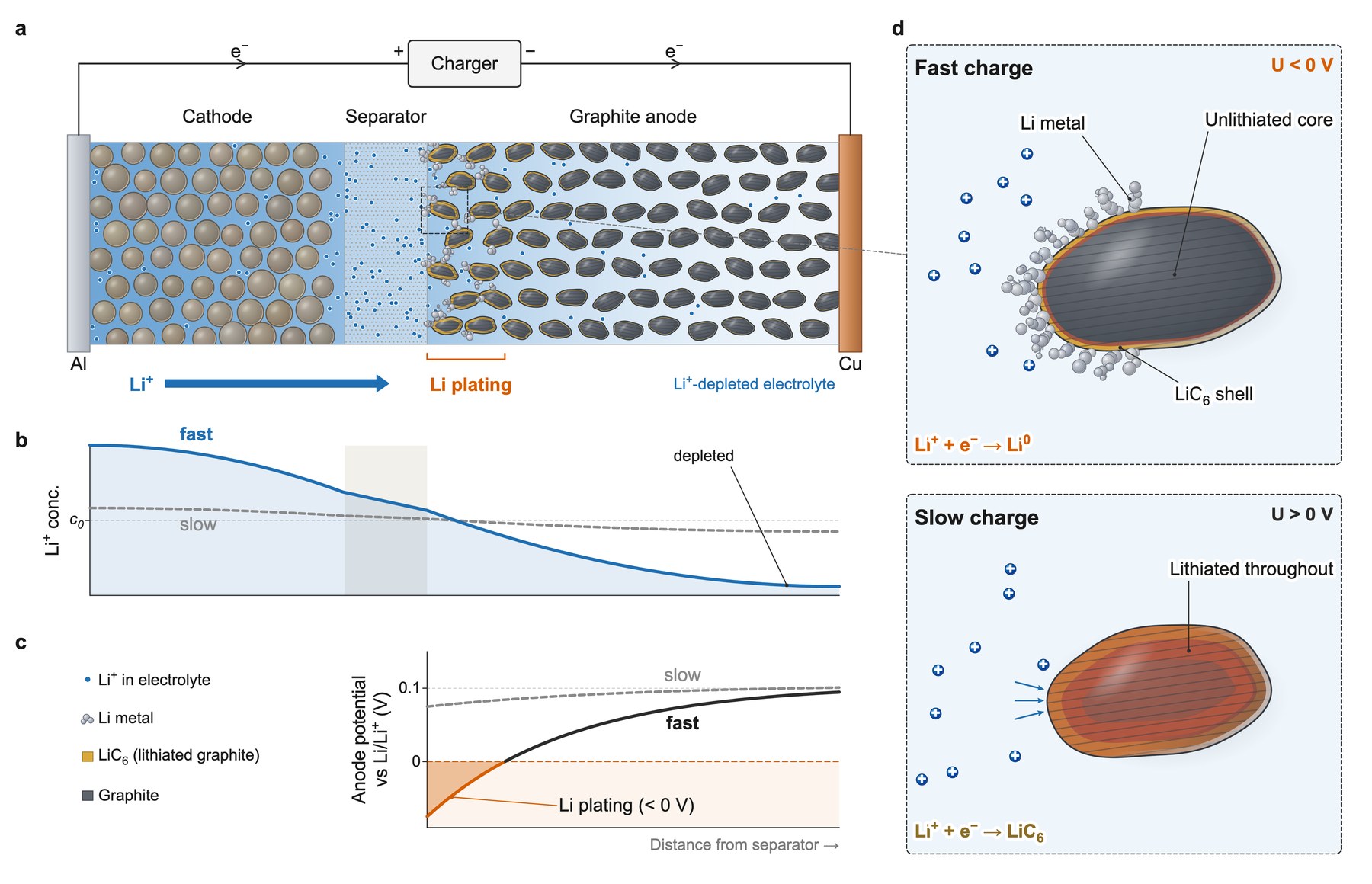
Prompt: “Use the schematic-figure skill. Draw why fast charging plates lithium on graphite. Show the Li⁺ concentration gradient across the electrolyte, the anode potential falling below 0 V vs Li, and metal forming on the particles”.
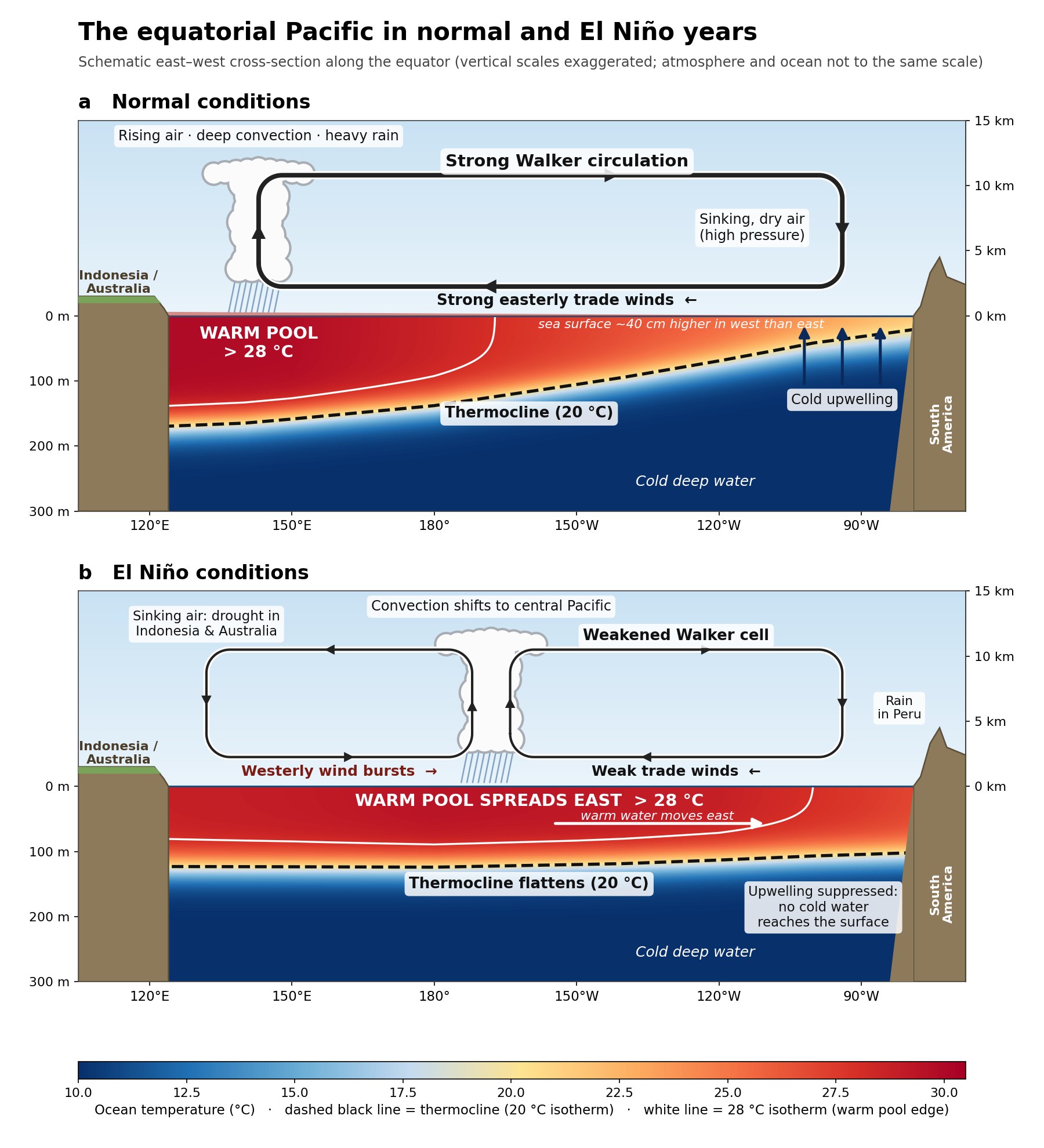
Prompt: “Draw a cross-section of the equatorial Pacific in normal years and in El Niño years. Show the Walker circulation, the thermocline and the warm pool”.
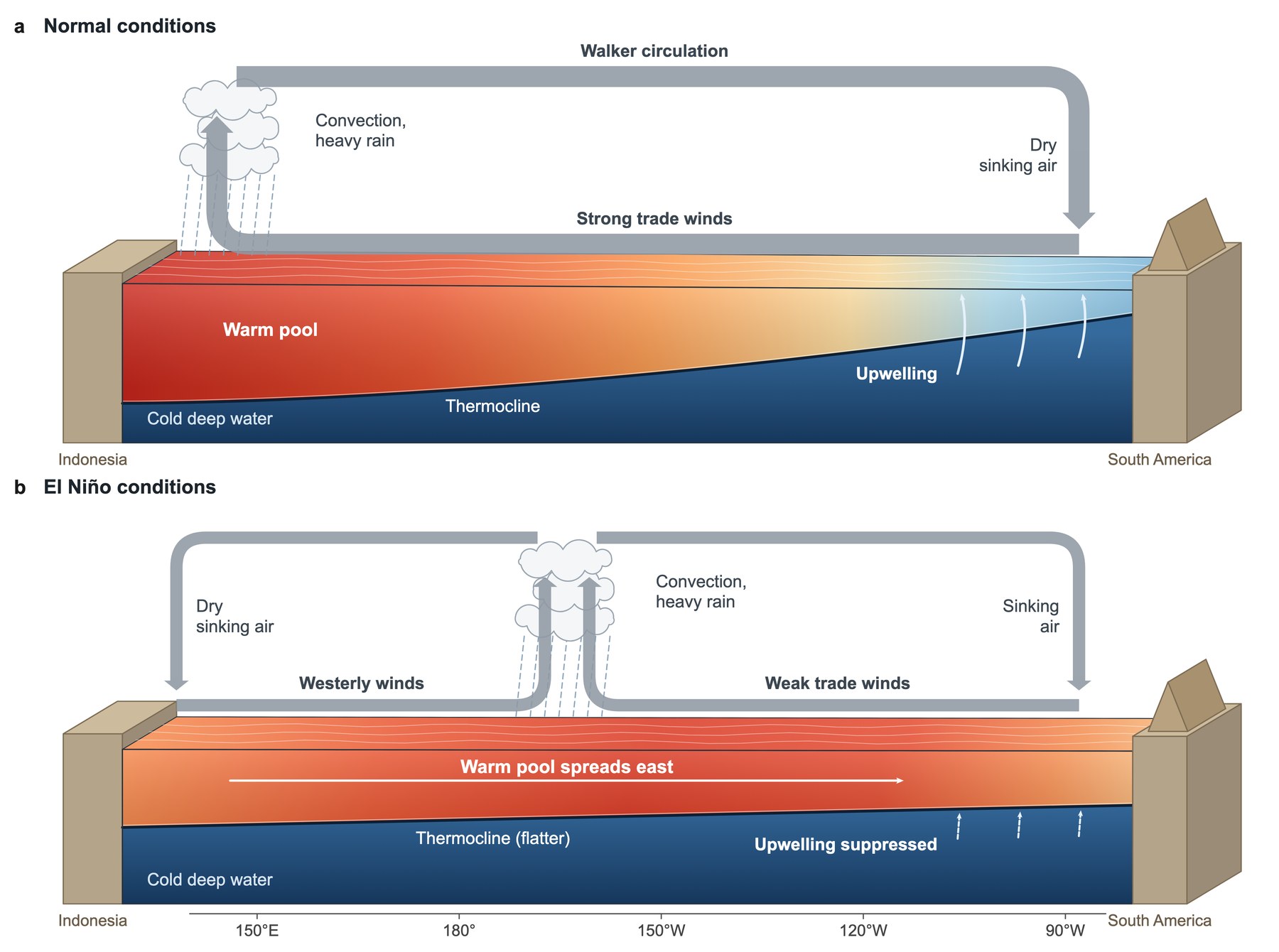
Prompt: “Use the schematic-figure skill. Draw a cross-section of the equatorial Pacific in normal years and in El Niño years. Show the Walker circulation, the thermocline and the warm pool”.
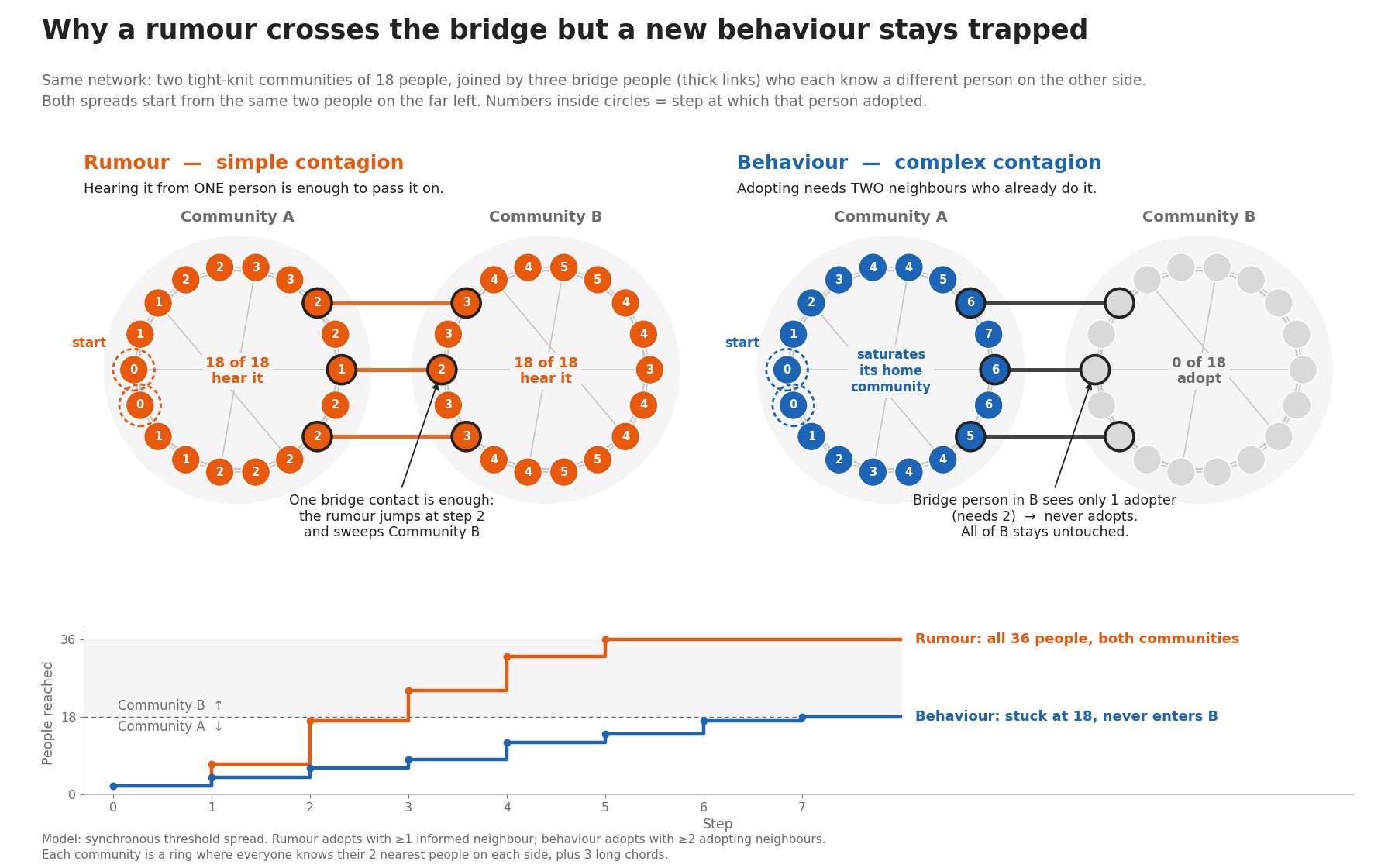
Prompt: “Draw why a rumour crosses between two communities but a behaviour that needs two adopting neighbours stays trapped. Show both spreads on the same network with a few bridge people”.
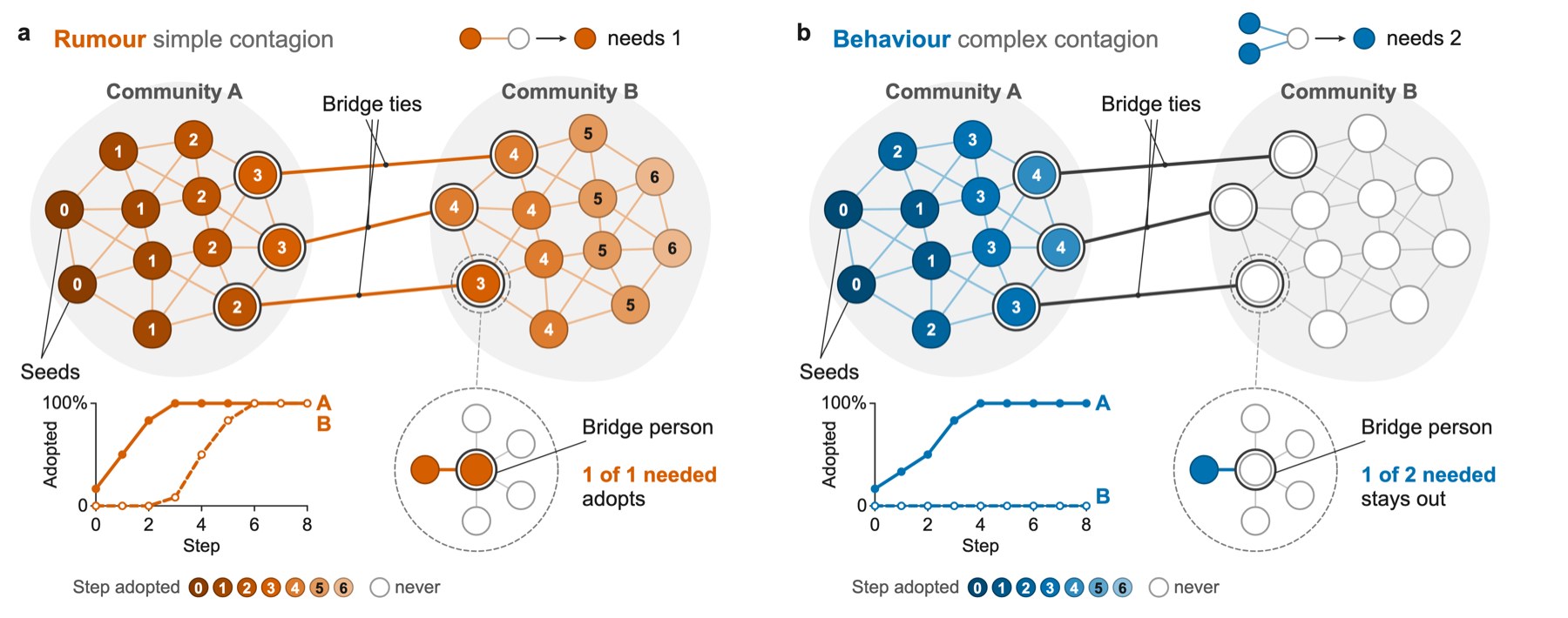
Prompt: “Use the schematic-figure skill. Draw why a rumour crosses between two communities but a behaviour that needs two adopting neighbours stays trapped. Show both spreads on the same network with a few bridge people”.
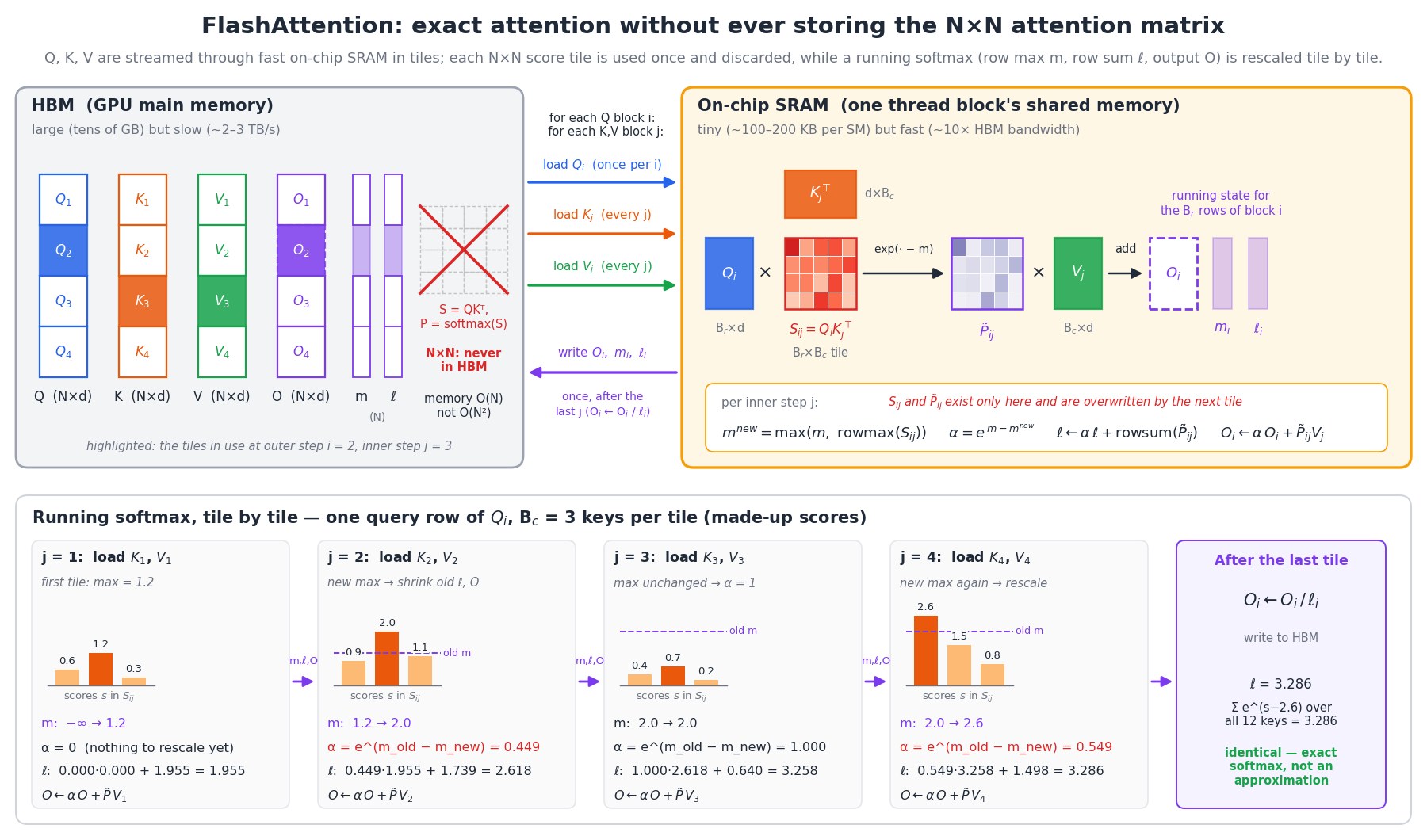
Prompt: “Draw how FlashAttention computes attention without storing the full attention matrix. Show the GPU's HBM and on-chip SRAM, the Q, K and V tiles moving between them, and the running softmax that is updated tile by tile”.
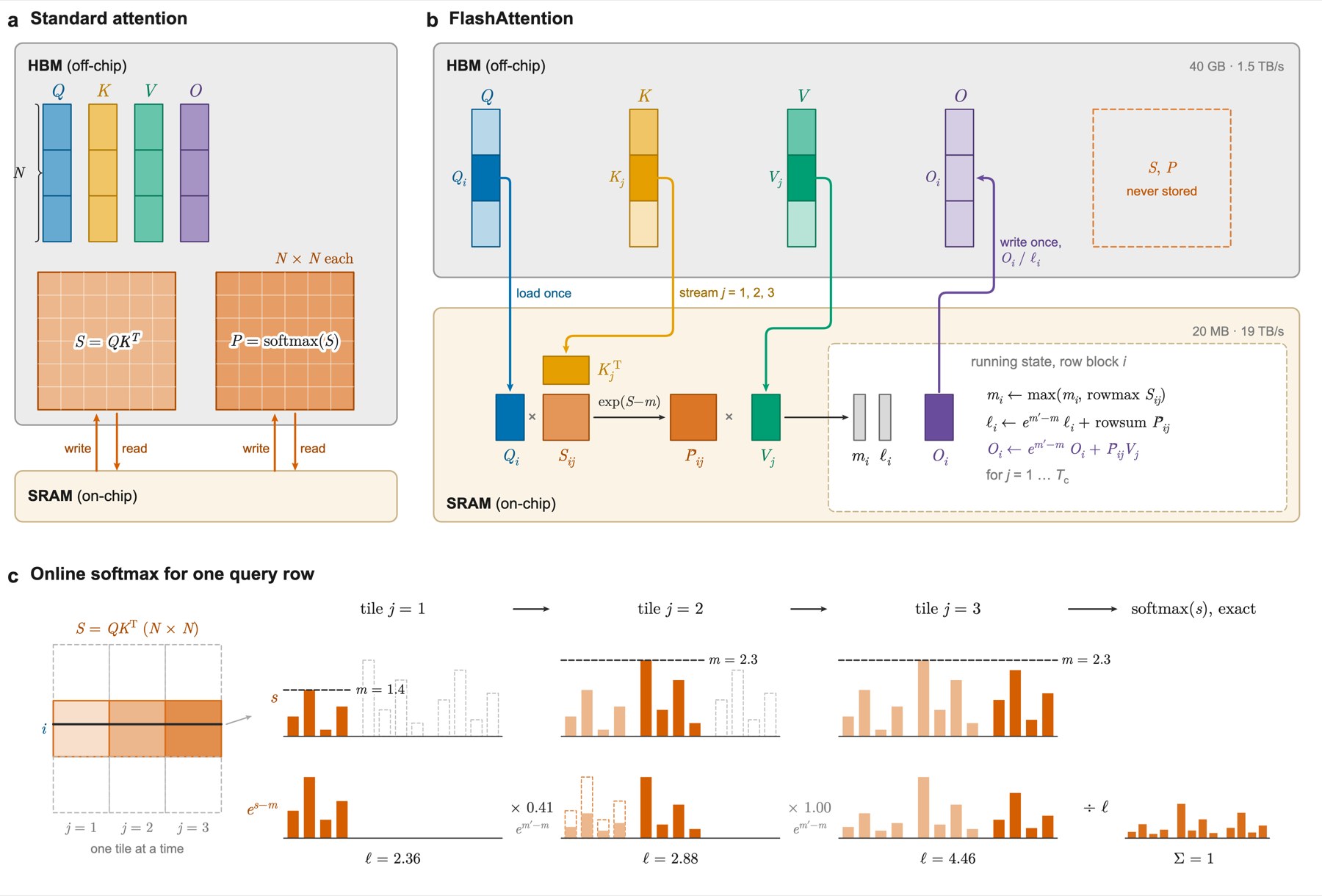
Prompt: “Use the schematic-figure skill. Draw how FlashAttention computes attention without storing the full attention matrix. Show the GPU's HBM and on-chip SRAM, the Q, K and V tiles moving between them, and the running softmax that is updated tile by tile”.
We should be clear about two limits. First, we are not experts in most of these fields, so we cannot vouch for every detail of these figures. Second, these prompts describe well-established concepts. In our experience the skill does much worse on a novel concept, unless it gets a detailed technical description of it (more tips later).
So what is a skill, and how do you use it? In case you are new to AI agents: a skill is a folder that an AI model loads on top of its built-in abilities. It holds written instructions, and it can also hold code and tools. Our skill holds the instructions for making publication-ready figures, a drawing library, 3D kits and automatic checks. The figure below shows how an AI model works when you ask it to draw a figure without and with our skill.

Another nice feature of our skill is that the result is not just a picture. An image-generation model gives you pixels. The skill gives you the figure as vector graphics (SVG and PDF) together with the code that draws it. You can then open the file in Illustrator or Inkscape and move a label yourself. You can also ask the AI to change one thing, and it edits only that part.
Notably, the skill is not a free lunch. With the skill, the agent spends about four times longer on a figure, for both Opus 5.5 and GPT-6 Astra. But on average it still needs less than 20 minutes to make a finished schematic figure, which is of course worth the time!
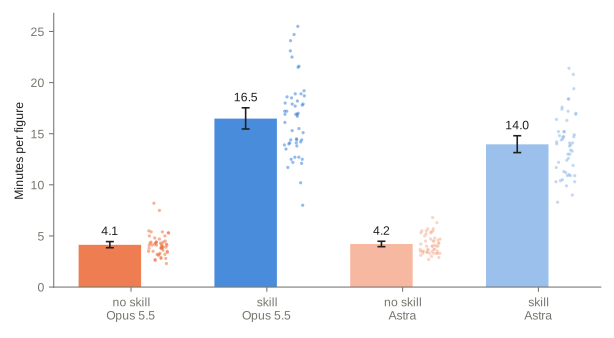
Here are some tips for using the skill. In our experience, any one of them usually leads to a good result:
Give it the full story. A short request will work for well-known concepts. For a novel scientific concept, the skill needs a detailed technical description to work well. Example:
“Use the schematic-figure skill to design Fig. 1 for our paper [attach technical description].”
Show it a style to follow. An example figure, from your earlier papers or one you admire, gives the skill a target for colors, line weights and level of detail. Example:
“Use the schematic-figure skill. Follow the colors and line weights of the attached figure from our last paper [attach example figure]. Draw our new device in the same style [attach technical description].”
Ask for several ideas at once. We often run three agents in parallel on the same request. Each comes back with a different design, and we combine the best parts into one figure. Example:
“Use the schematic-figure skill. Make three different designs of this figure with three parallel agents for our paper [attach technical description] and combine them in a single sheet to show me.”
If you just want to try the skill, download it from our GitHub repo and give it to your favorite AI model. You can also ask the model to install the skill for you :). In the rest of this post we are going to share how we developed it and some lessons we have learned along the way.
How did we develop the skill at this scale?
Developing such a skill rigorously is not an easy task. We collected more than 100 recently published papers from different fields of science, masked the figure-related text out of each paper, and asked the AI to design a schematic figure from what remains. Then we needed to decide how good each result is (for example, with another AI model as the judge), work out how to improve the drawing, and iterate many times until the results are satisfactory.
All of this sounds like a big effort! But it turns out that Claude Code’s built-in dynamic workflows make it much easier. You just prompt the system in natural language, for example: “find me 100 open-access papers in the subfield of …, and prepare a dataset of figures and corresponding text descriptions of the technical part of each paper, with the figure information masked out”. Claude then designs a gated pipeline that collects the dataset for you. The same idea applies to improving and evaluating the skill. Below is the workflow Claude built to collect our papers.

How do we score a figure?
After preparing the dataset, we needed a way to quickly judge the quality of the generated figures. The metric is inspired by the Turing test: we test whether a figure made by an AI agent can be told apart from one made by people, by asking an evaluator (admittedly, an AI evaluator) if the figure “looks published”. The judge sees one figure and estimates the chance, from 0 to 100, that it is a published “Fig. 1”. Before using it on our skill, we checked it on figures drawn without it. A good metric should rank the real published figure well above a plain AI drawing.
Running this evaluation on 50 test papers, we find that the “looks published” metric reliably tells AI-generated figures apart from published ones.
The judge’s reasons show what it looks for. Here is its reason for one figure by Opus 5.5 without the skill:
Without the skill (biology, scored 15 out of 100): “The figure has a uniform matplotlib look, with sentence-style panel titles, explanatory captions written into the panels, synthetic-looking heatmaps and plain box-and-arrow panels, which reads more like code-generated work than a professionally illustrated Nature Fig. 1.”
We can then use the judges’ feedback on the training papers to improve the skill, and check whether the score rises in the next version.
How did the skill improve?
Before we start to develop and optimize a skill, we need to make sure our skill is generalizable. To make sure of that, we split the papers into two groups: a training set and a test set. While we improved the skill, the models drew and were scored only on the training papers. At the end, we scored the skill on the test papers, to check that what it learned carries over to papers it never saw.
We used two useful tricks: (1) every time we launched an AI agent to make a figure, we also asked it for the biggest “friction” in our skill and how to improve the skill, and (2) before the training, we gave AI agents published figures and asked them to reproduce the figures exactly. Together, these two tricks built a good drawing library for AI agents. For example, the agents suggested that we build a library of common parts, and add Blender and RDKit (an open-source chemistry toolkit) to the skill.
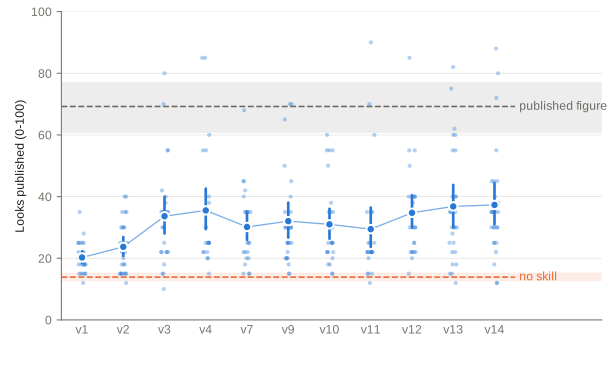
Then we simply ran a Claude Code dynamic workflow through about 15 versions of the skill to increase the “looks published” score of the training figures. We stopped after about 15 versions because the score stopped rising. The whole workflow looks like this:

We also want to note that this is not a fully autonomous AI process. We closely watched the output figures and steered the workflow from time to time. Below are some suggestions we gave Claude:
- Jinchen: “Make the figure fewer, bigger and bolder: fewer elements, larger text, and no big empty spaces.” A layout survey then showed that published figures set their text about twice as large as ours, on 27 of 28 papers.
- Logan: “Mixing 3D and 2D is the biggest flaw: the light should go through the lens, not lie flat on the page with the lens pasted on top.” Claude then added a small 3D light engine, and the light now enters, passes through and leaves each lens in the right order.
How does it do on new papers?
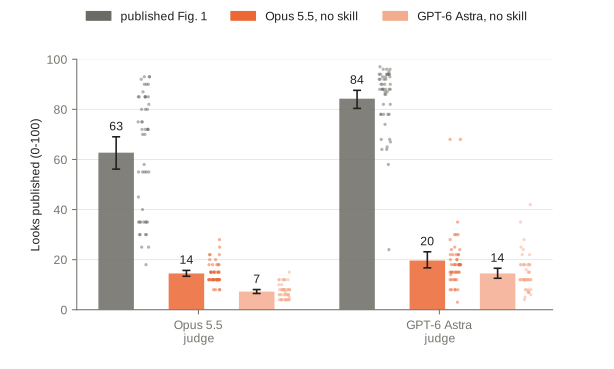
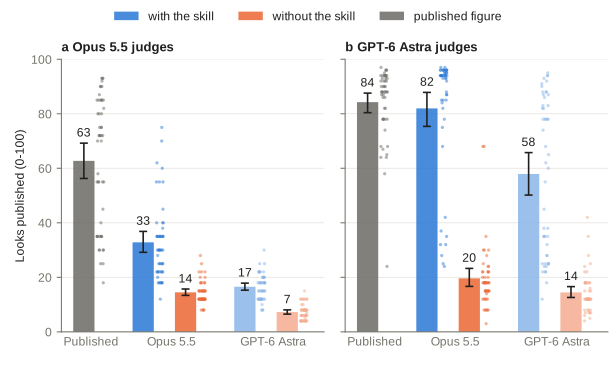
After “training” the skill, we scored it on the test papers in the same way. From the figure below we can see that under an Opus 5.5 evaluator, both models score twice as high as without the skill, and interestingly, with an Astra evaluator, Opus 5.5 with the skill is comparable to published figures! We can see that the Astra judge does not favor its own model. Why do the OpenAI and Anthropic judges behave so differently?
We looked into it, and below is an example skill-made figure where Opus and Astra judges disagree. The Opus judge thinks it does not “look published” for the following reason:
Opus 5.5 judge (scored 35 out of 100; the published figure scored 85): “The figure is polished and physically coherent in Nature style, but its uniform code-drawn look (regular gradient wedges, generic octagon layers, sparse panel d with lots of empty space) suggests it was generated rather than produced by a journal art team.”
The GPT-6 Astra judge sees the same figure very differently:
GPT-6 Astra judge (scored 97 out of 100; the published figure scored 78): “The coherent multipanel layout, precise particle-physics notation, consistent visual styling, and polished detector and decay schematics strongly resemble a Nature-family introductory research figure.”
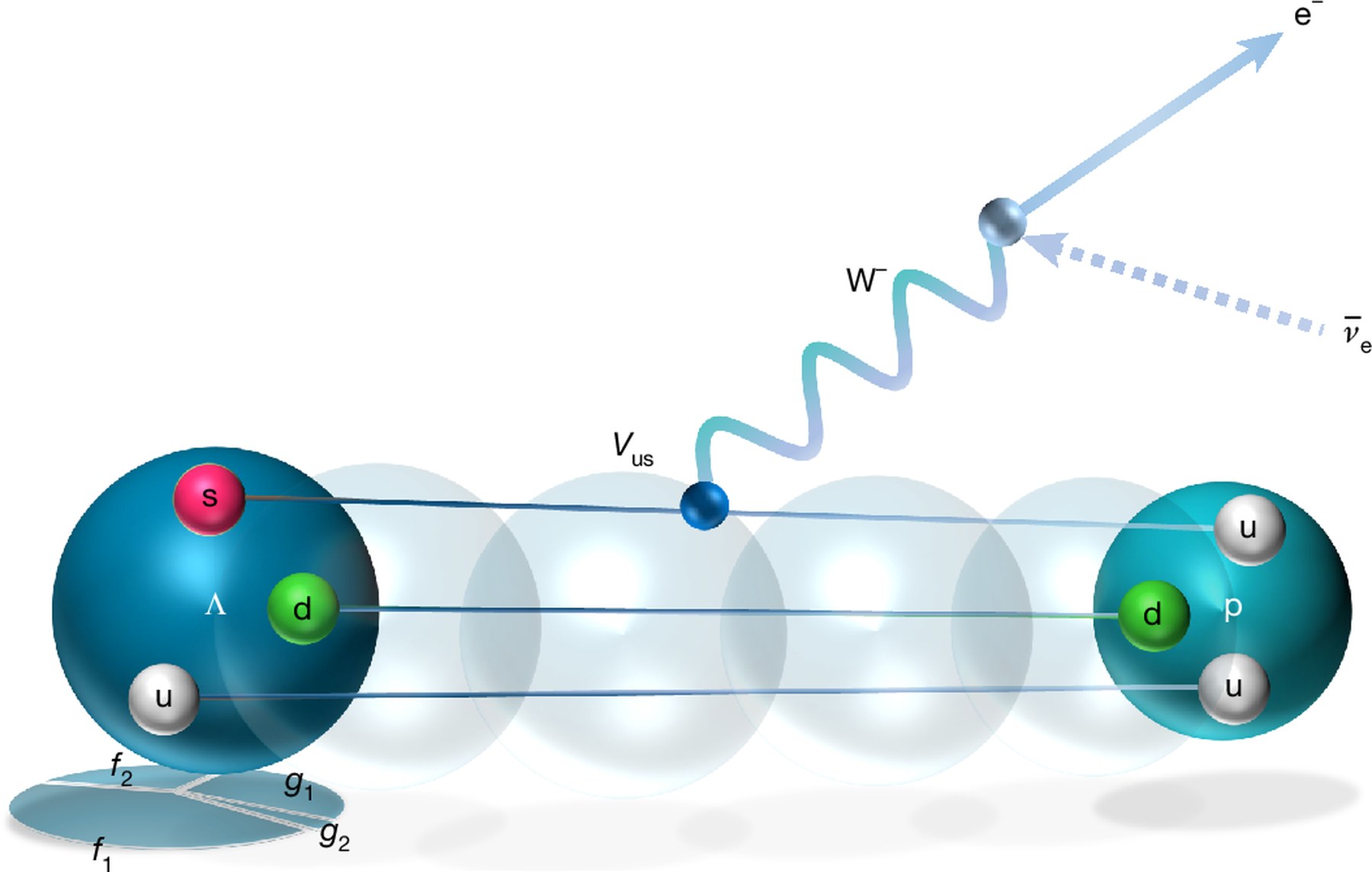
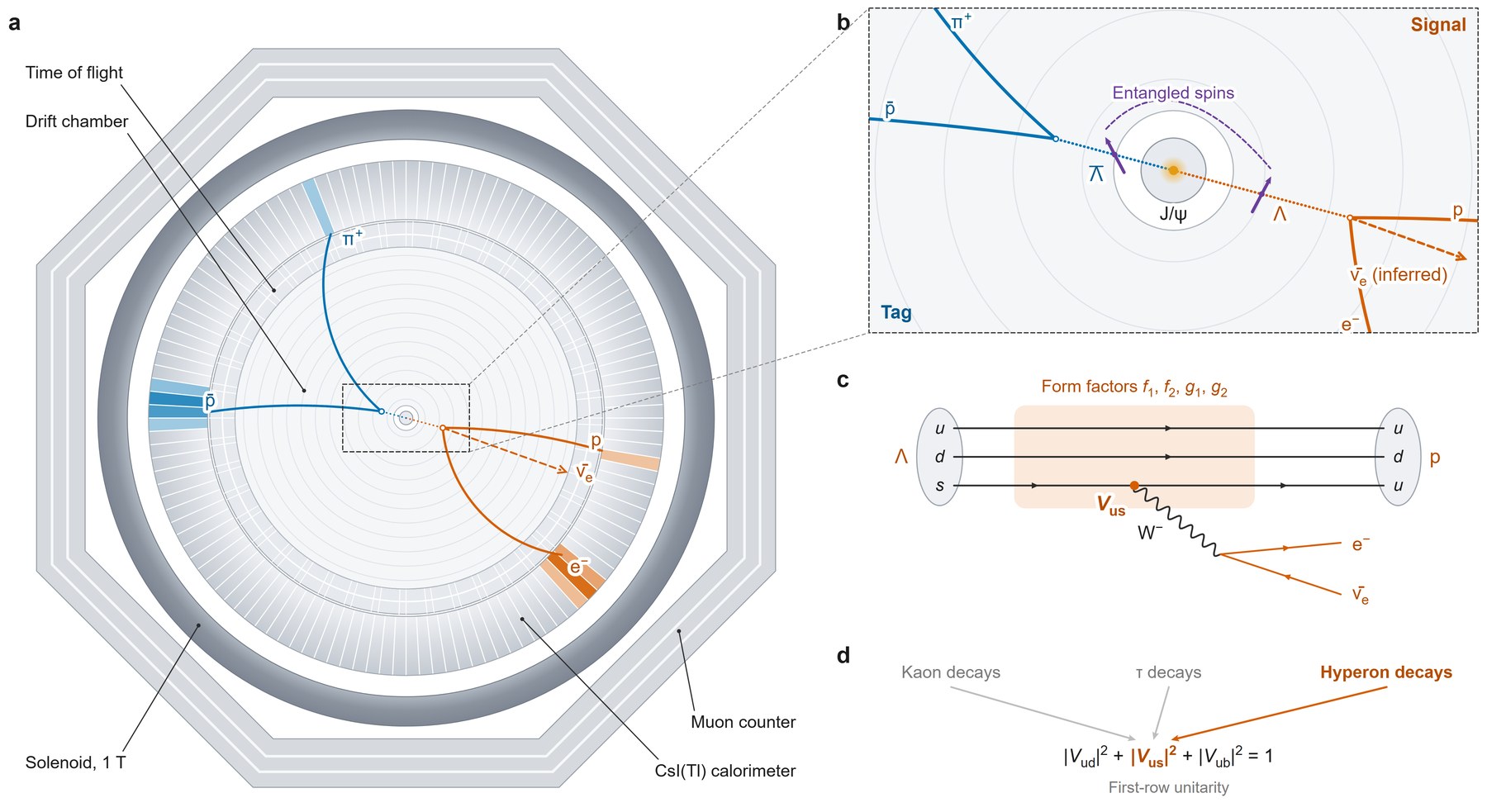
BESIII Collaboration, Exploring baryon semileptonic decays through polarization and entanglement, Nature (2026). Published figure: CC BY 4.0.
So, given the same question (“does this figure look published?”), the Opus judge seems to go into a “detective” mode and hunts for signs of code or AI drawing. The Astra judge looks at the figure more like a human editor would.
This is not a single example: out of the 50 figures scored by an Opus judge, 38 are scored lower than the published figure because they have some “code-drawn look”. The ones it does not call code-drawn score 57 on average, close to the published figures’ 63. In real publishing, whether a figure looks code-drawn is probably not what matters most for communicating science.
Do the figures carry the science?
So what matters for a schematic figure? We have been focusing on the artistry part of the figure so far (perhaps because that is the part we have always struggled most with), but scientific figures are not just about aesthetics! Their purpose is to show the key information of the research visually. We need to make sure that the generated figures actually contain the important scientific information from the paper!
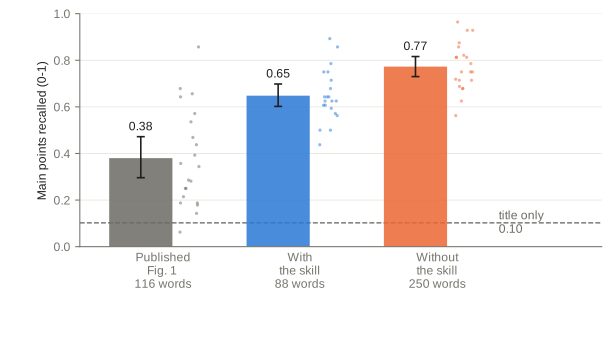
To test this, we design a workflow where a blind reader sees only the figure and lists what it claims. A scorer then checks the list against the paper’s main points, which another agent wrote from the full text. On 21 test papers, readers recall more main points from the skill’s figures than from the published ones, with fewer words on the figure. Figures drawn without the skill score highest, but they carry almost three times as many words. A reader shown only the paper’s title recalls 0.10 of the main points, which sets the floor.

What has the skill learned?
Looking back at all the versions, the skill mainly taught the agent three kinds of things:
The most important is a design process. Before it writes any code, the agent reads the paper, sketches a few concepts, builds two drafts, picks one and critiques it like a reviewer would. Without the skill, the agent usually goes straight to drawing.
The second is a toolbox: parts for each field, a molecule tool, Blender for 3D objects and a small engine that draws light through lenses.
The third is a set of automatic checks that catch overlapping labels, tiny text and sentence-style headings before a person ever sees the figure.

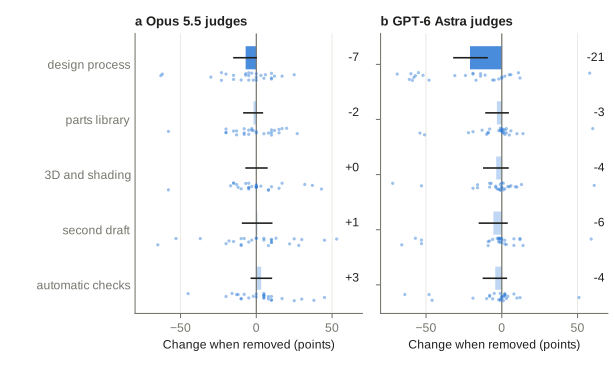
But does each part matter, and which matters most? We removed one part at a time and redrew the 28 training papers. Removing the design process lowers the score under both judges. Removing any other part does not measurably change it, although under the Astra judge every removal costs a few points on average. Still, we expect every part to help. The parts library saves tokens, because the agent does not draw common parts from scratch. The automatic checks catch overlapping or misaligned labels, which vision-model judges notice less than experienced researchers do.
How does it do in our own field?
We also tested the skill on a few of Logan’s papers on physical neural networks and optical computing. In our expert view, the figures convey the main ideas of the papers very well.
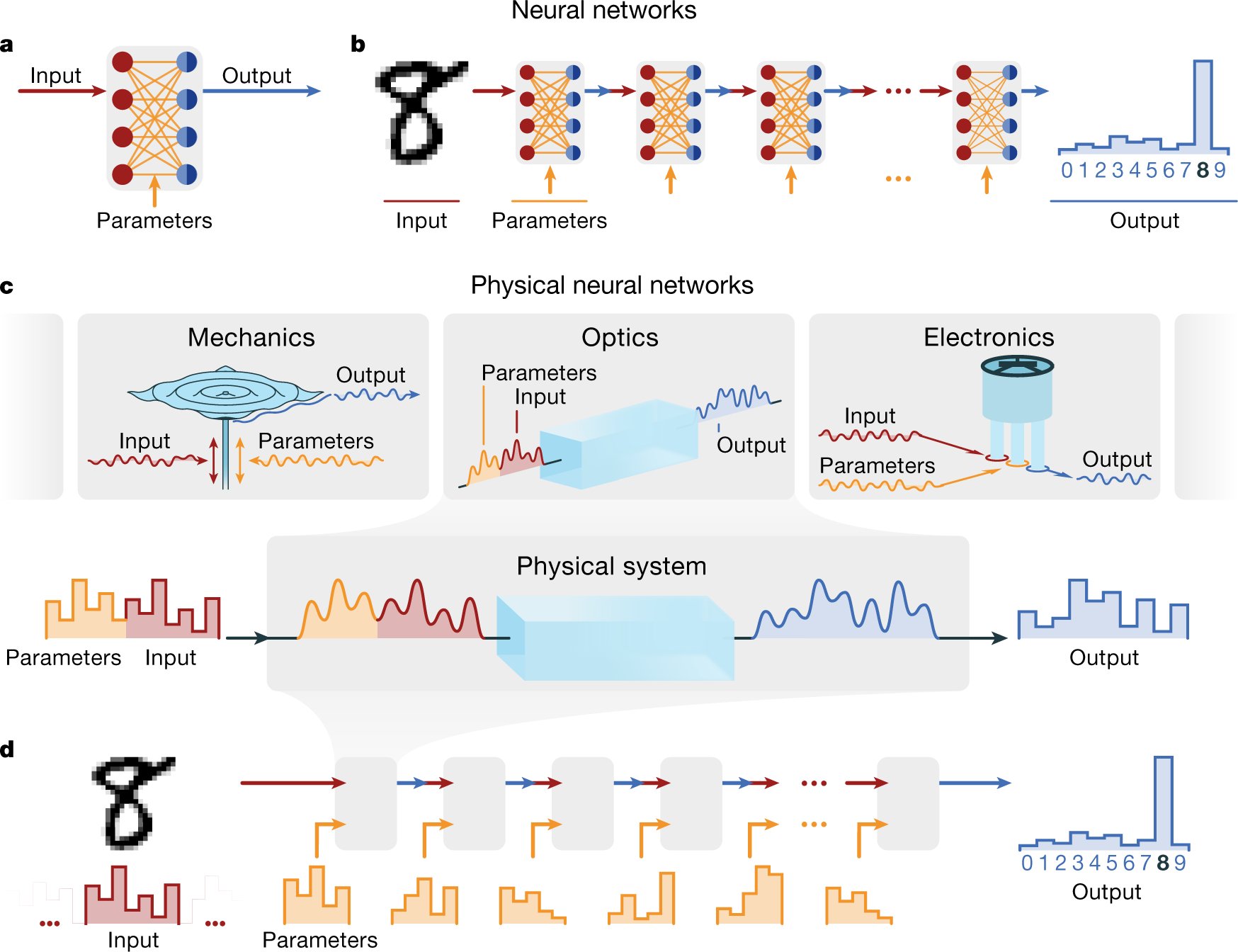
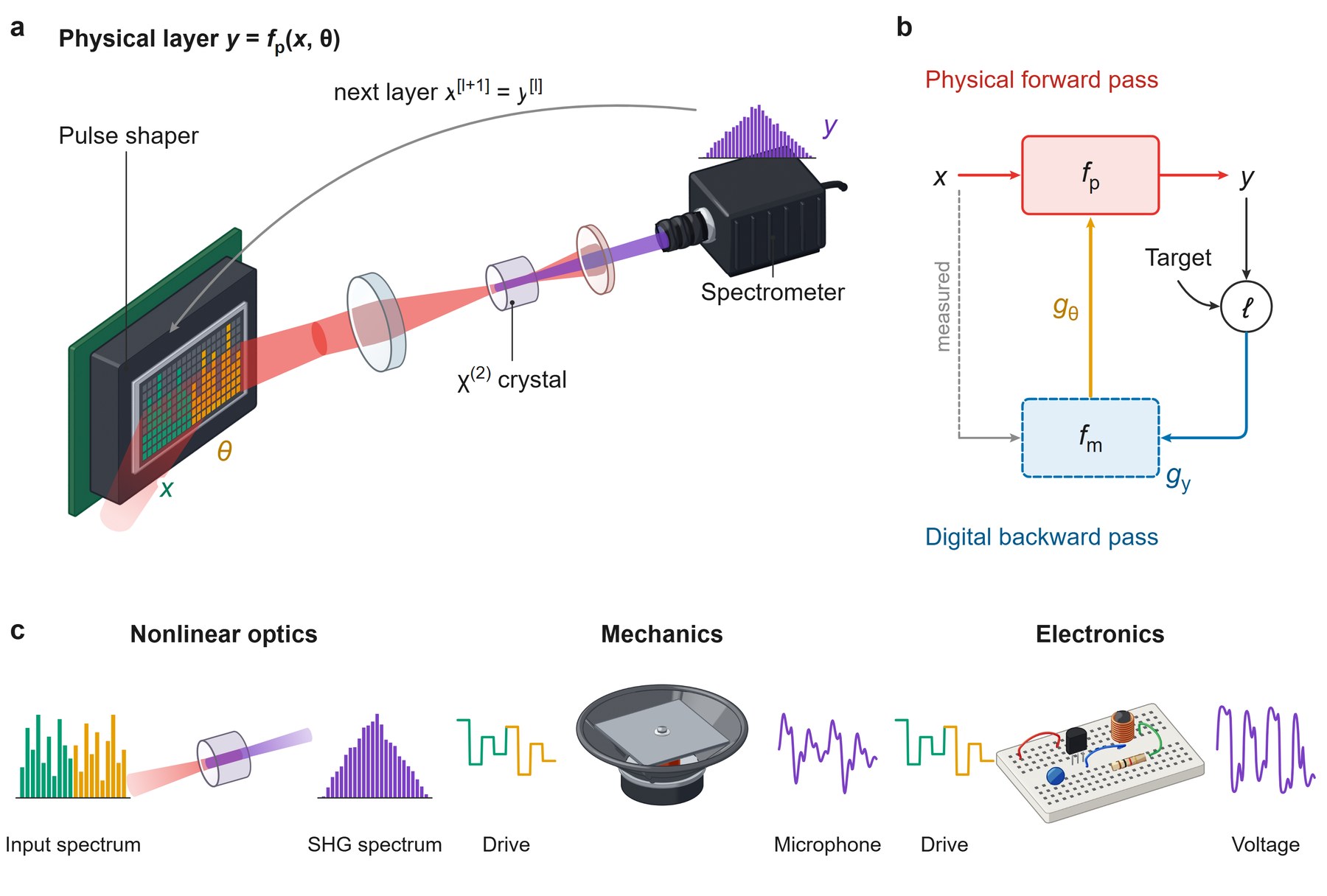
Wright et al., Deep physical neural networks trained with backpropagation, Nature (2022). Published figure: CC BY 4.0.
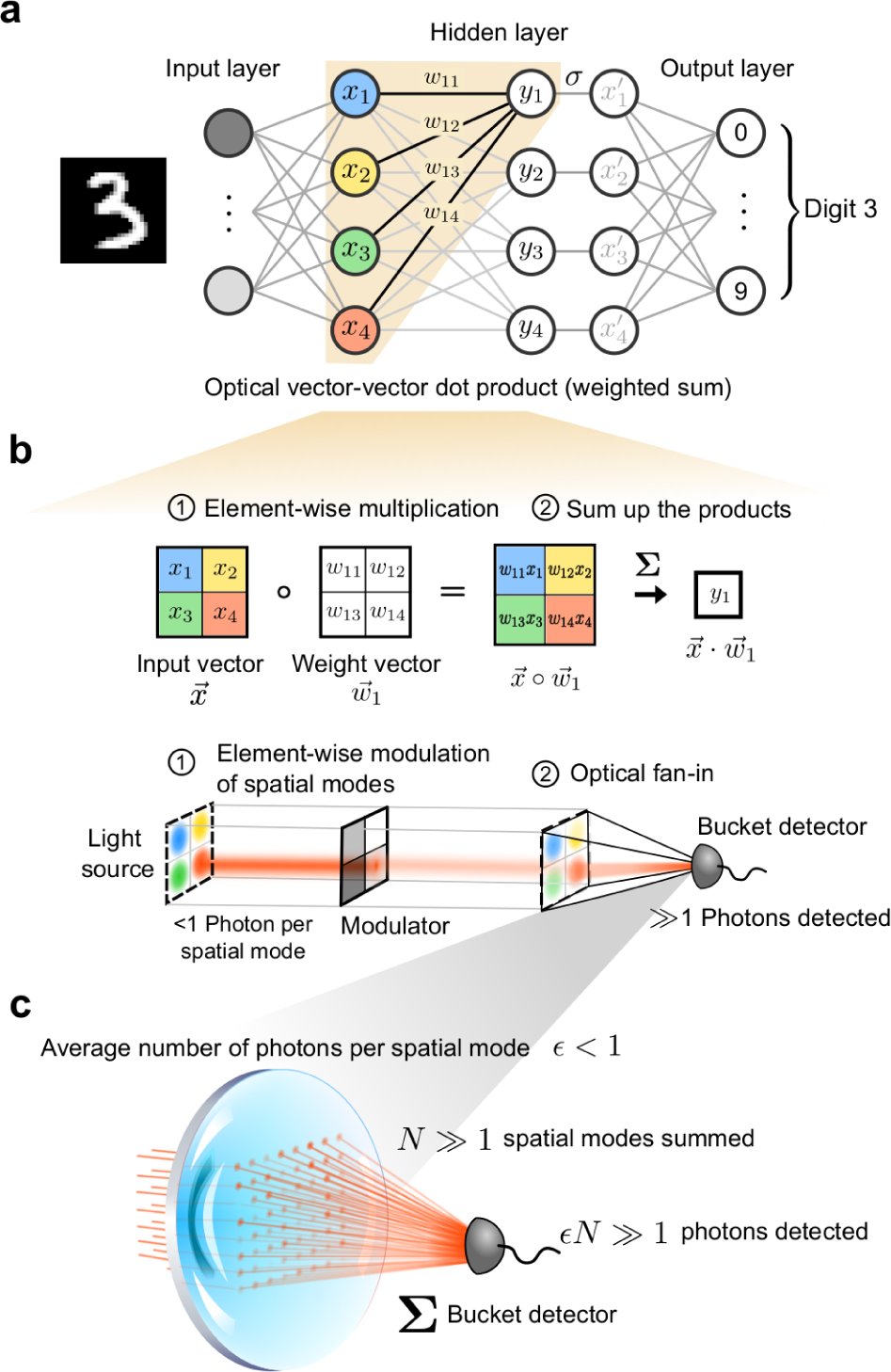
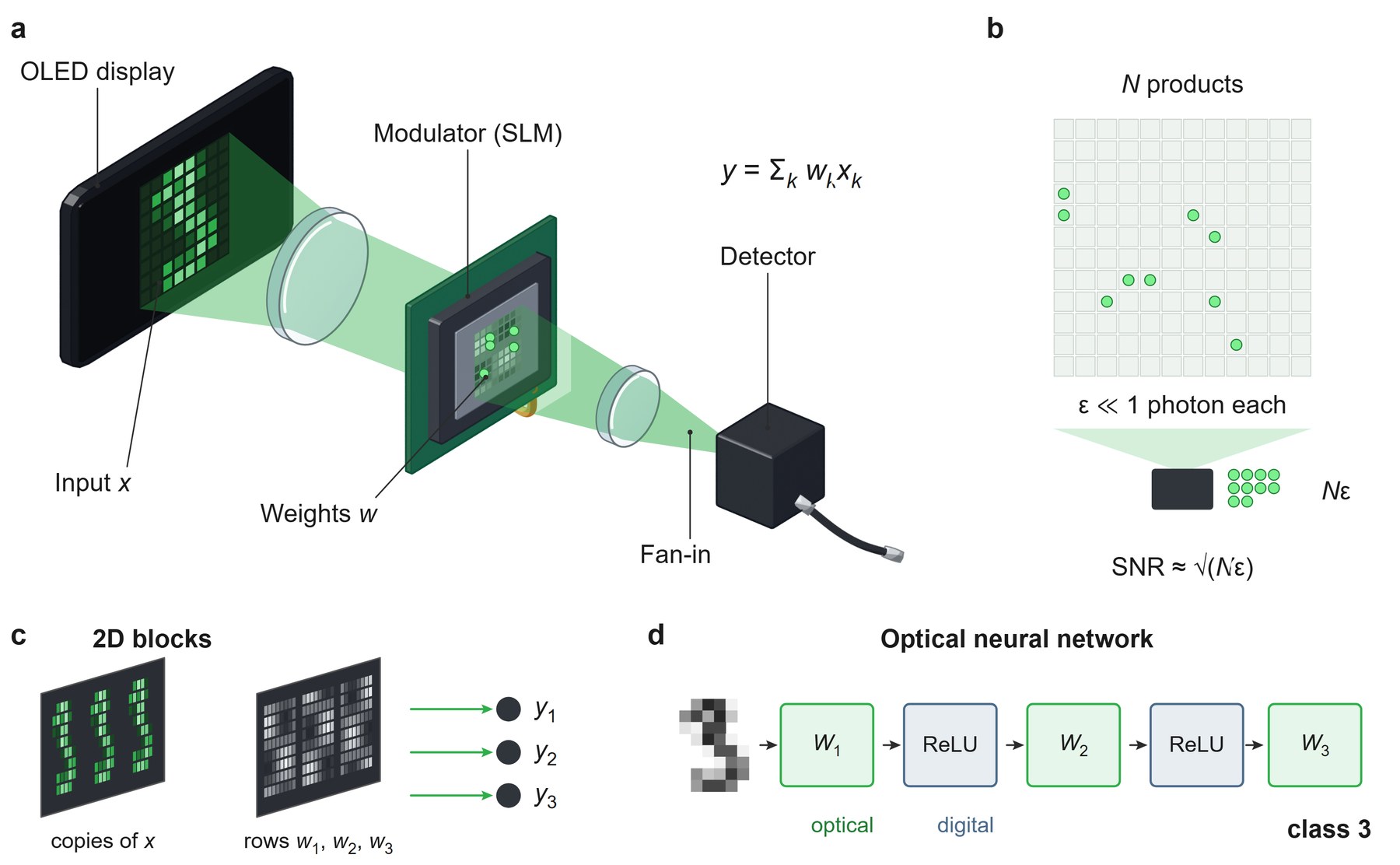
Wang et al., An optical neural network using less than 1 photon per multiplication, Nature Communications (2022). Published figure: CC BY 4.0.
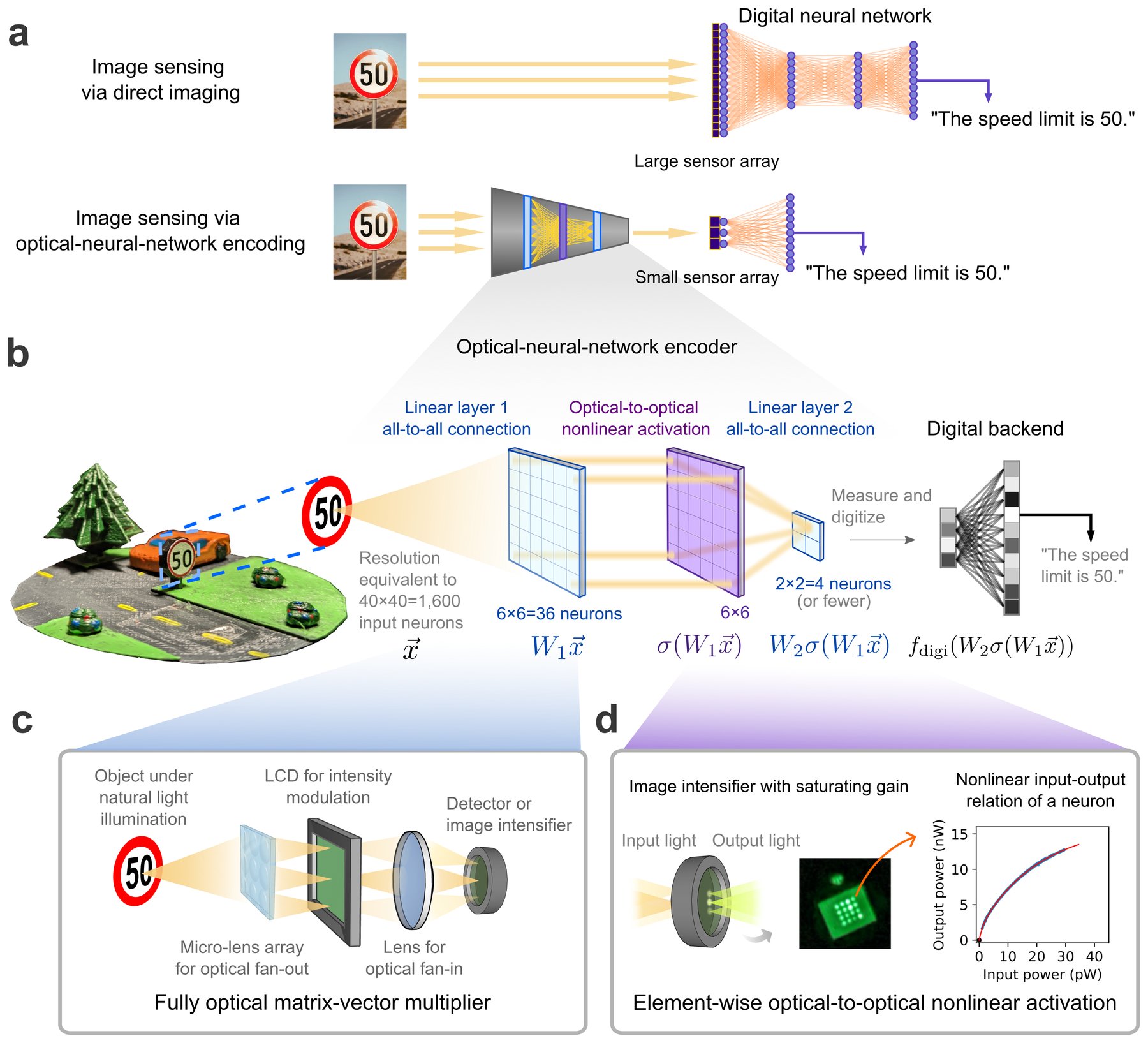
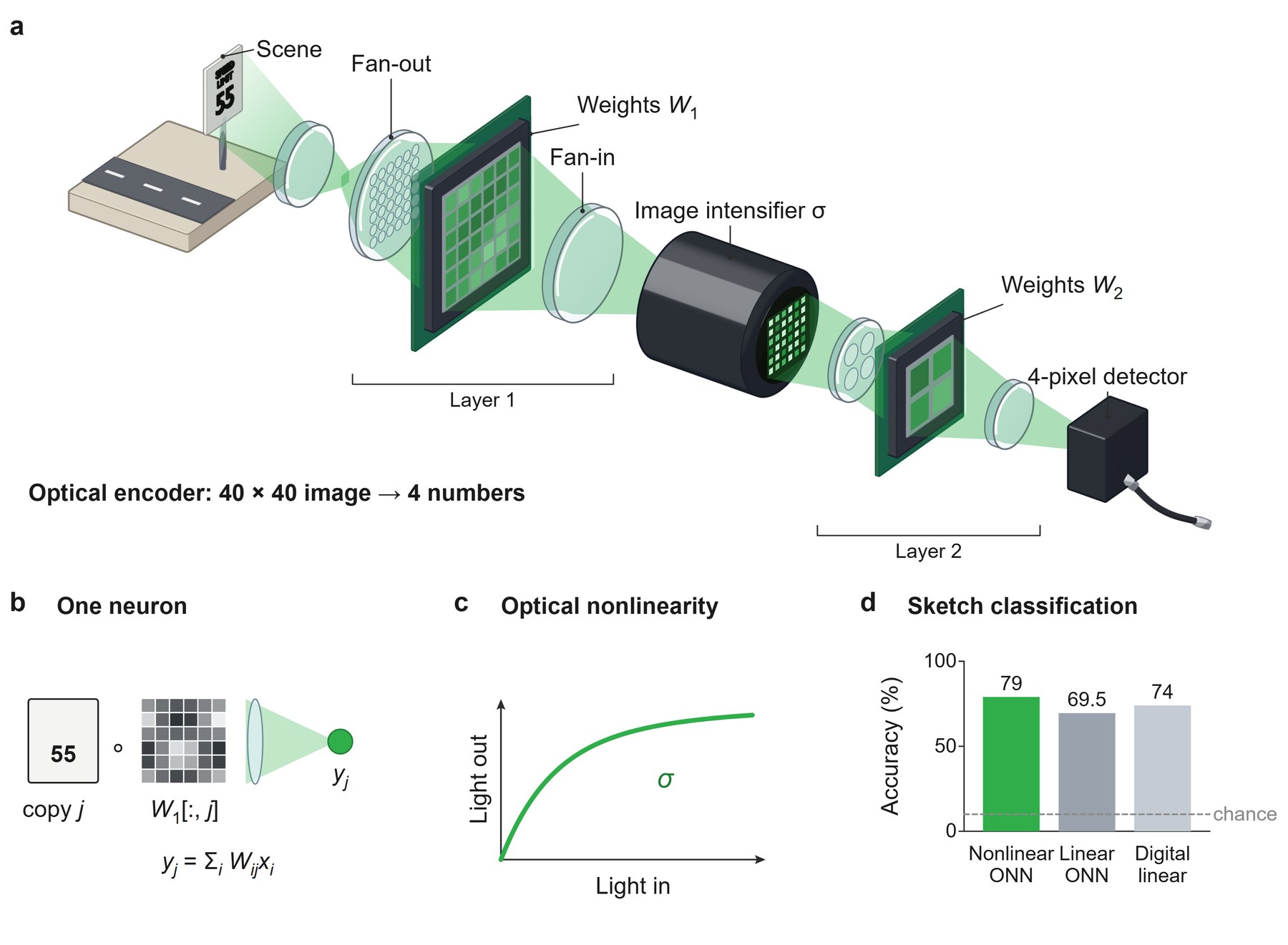
Wang et al., Image sensing with multilayer nonlinear optical neural networks, Nature Photonics (2023); figure from the arXiv version. Published figure: CC BY 4.0 (arXiv version).
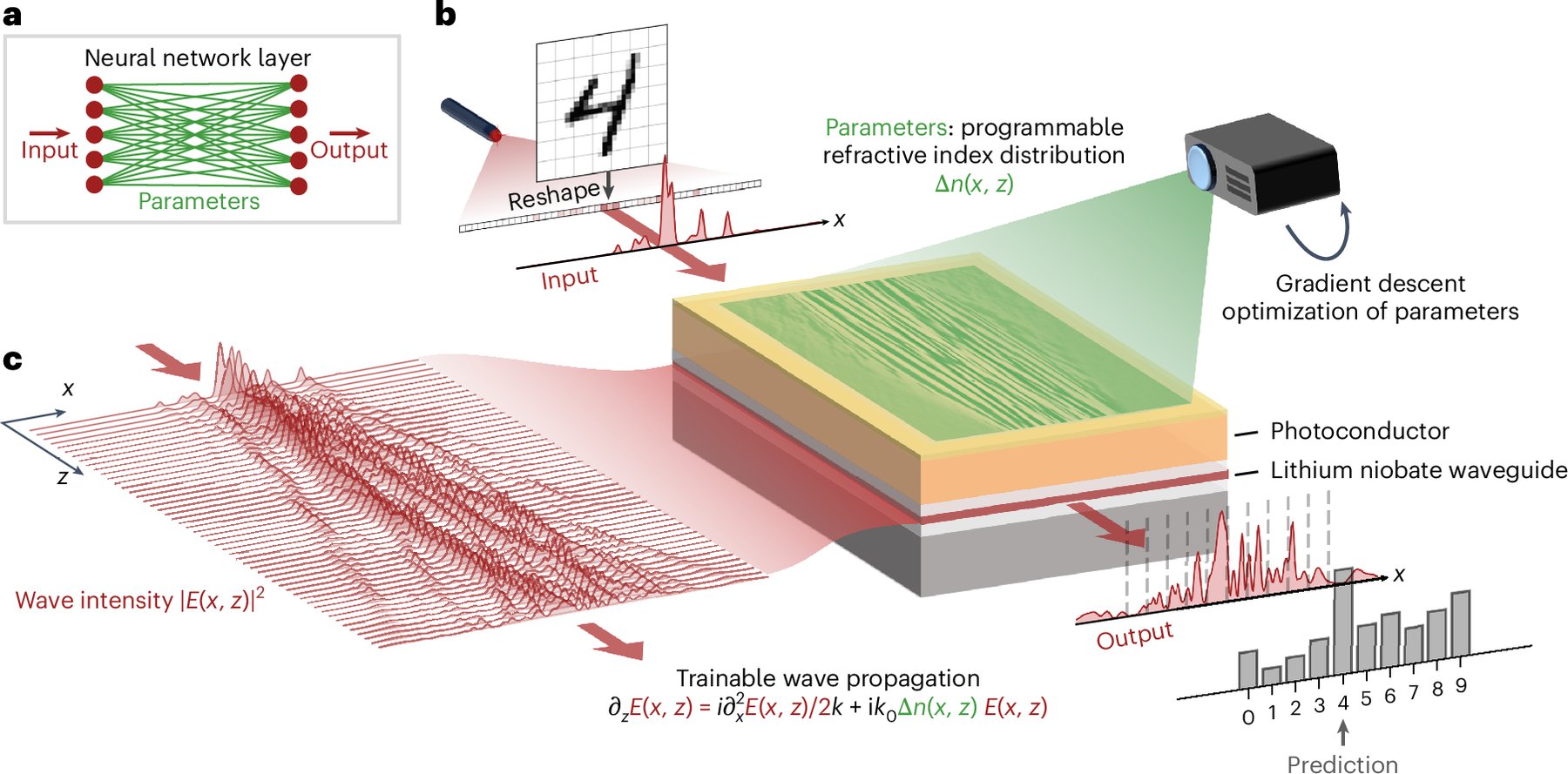
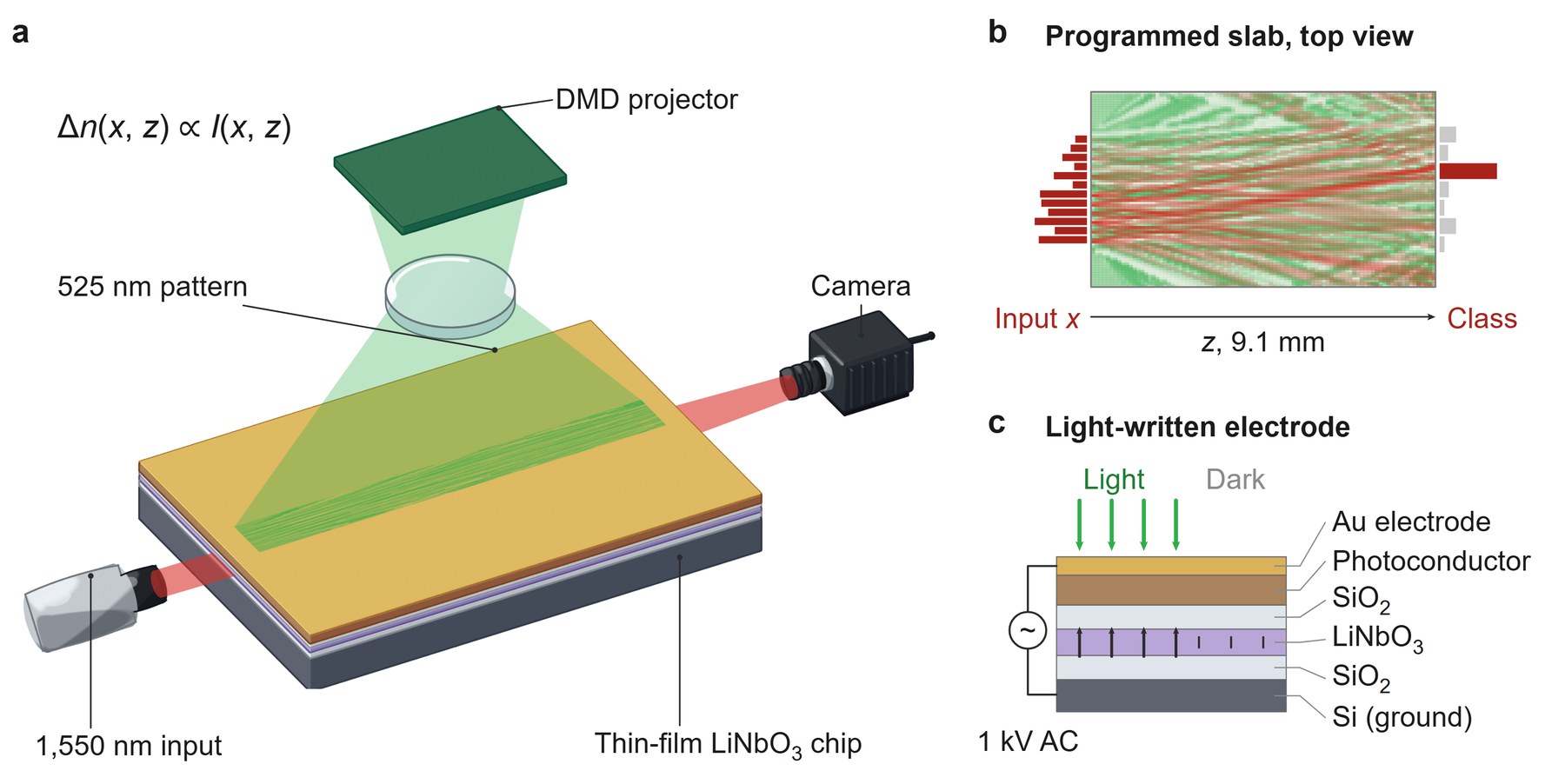
Onodera et al., Arbitrary control over multimode wave propagation for machine learning, Nature Physics (2025). Published figure: CC BY 4.0.
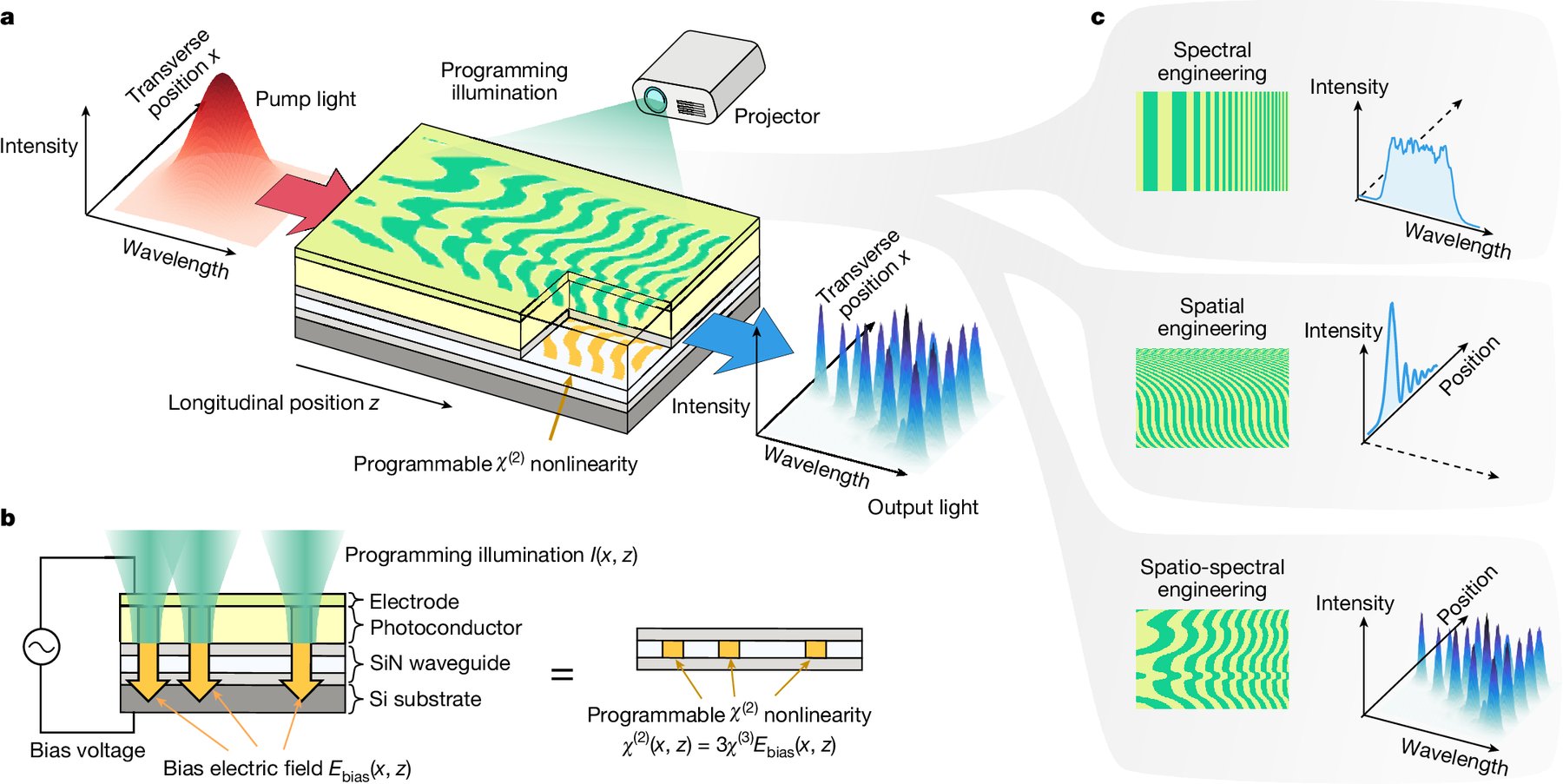
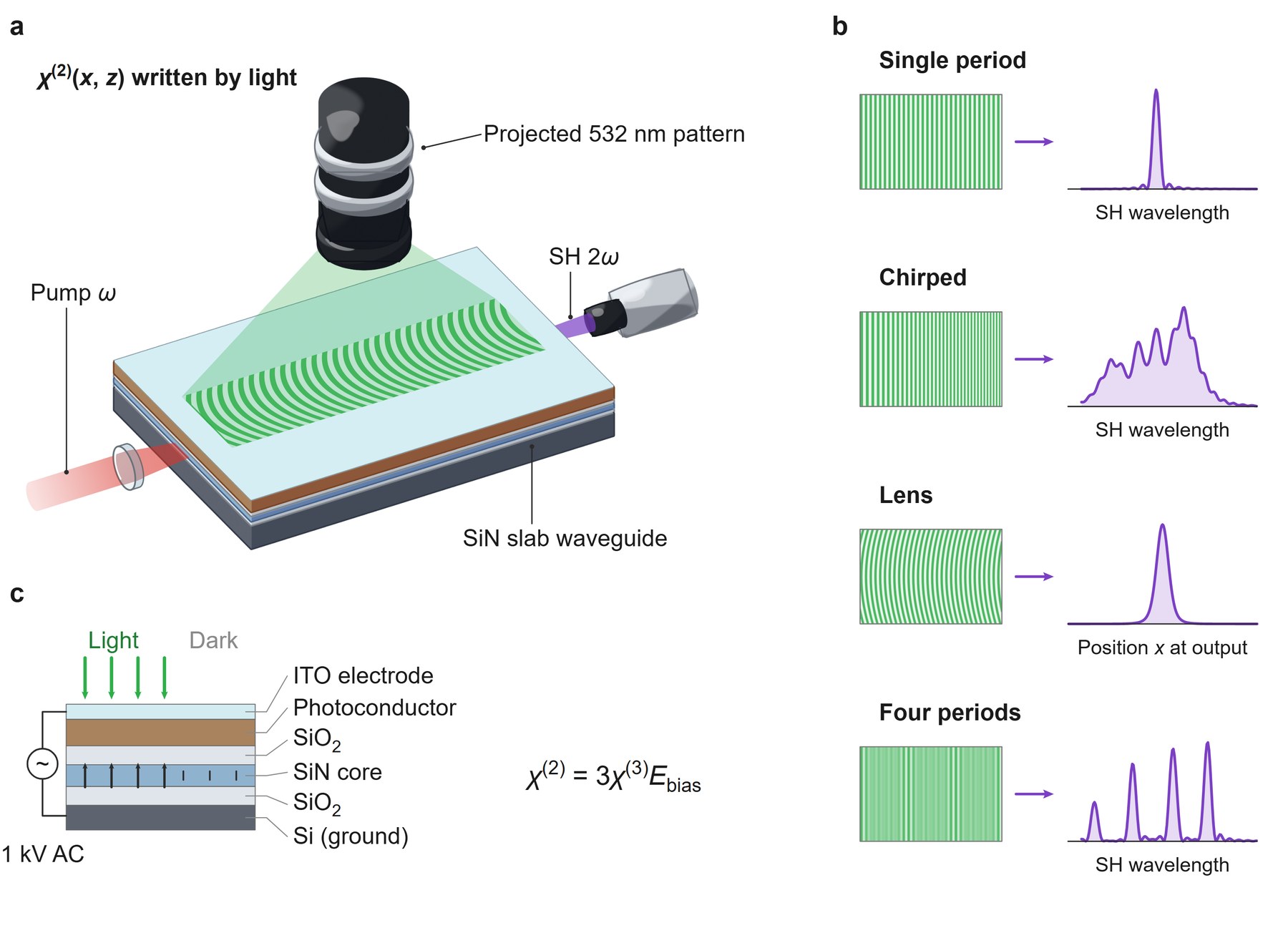
Yanagimoto et al., Programmable on-chip nonlinear photonics, Nature (2025). Published figure: CC BY 4.0.
But we also spotted some technical errors. For example, in the deep physical neural network figure, the pulse shaper is drawn incorrectly: the wavelengths should be recombined into a single pulse (for example, with a grating). The figure also splits parameters and data incorrectly: the experiment used an affine transformation of the input,
Where does this leave us?
As amazing as this is, we are not suggesting that anyone can outsource figure design to AI. What the skill changes is speed and ambition: we can try many more designs much faster. We still need careful judgement and deep thought about what the figure should show.
Two lessons from this project apply well beyond figures. First, it is better to let AI models work in code rather than pixels (as diffusion models do), because code is much easier to check, edit and rerun. Surya’s post on training Qwen to paint with code reaches the same conclusion from a different direction. Second, we think automatically hill-climbing on a well-defined evaluator with AI will become much more efficient than traditional R&D for at least a large class of research problems. Just as we finished this skill, Anthropic described the same recipe for any Claude application, including built-in commands that build the evaluation and run the hillclimbing for you.
Finally, we want to note that since the release of GPT-6 Astra and Opus 5.5, we have seen a very obvious jump in model capability and this vision and drawing capability is just one of them. In many other aspects of our daily research, these latest models have fully transformed the way we do research. We will use this lab blog to keep sharing our experience with these latest models, for example how this “intelligence jump” has made fully autonomous, AI-driven optical experiments possible.